“Email marketing” is two different jobs wearing one coat. Telling four hundred customers about a new service is an announcement. Following up with a prospect you met on Tuesday is a conversation. Send the announcement like a conversation and you will burn out your mailbox; send the conversation like an announcement and nobody will reply. Lacspace Mail has a tool for each, and the difference matters more than the templates.
| Campaign | Sequence | |
|---|---|---|
| Shape | One message to many | Personal steps to one person at a time |
| Sent from | Platform sender (or your mailbox for small lists) | Always your own mailbox, threaded |
| Stops when | The list is done | They reply, bounce or unsubscribe |
| Headers | List-Unsubscribe + one-click (RFC 8058) | Ordinary mail in an ordinary thread |
| Volume | Batches inside a send window | Under the mailbox ceiling: 20/hour, 100/day by default |
| Use it for | Newsletters, launches, offers, greetings | Follow-ups after a meeting, quote or lead |
| Measured by | Delivered, opened, clicked, replied, unsubscribed | Replies — nothing else matters |
Campaigns: one to many
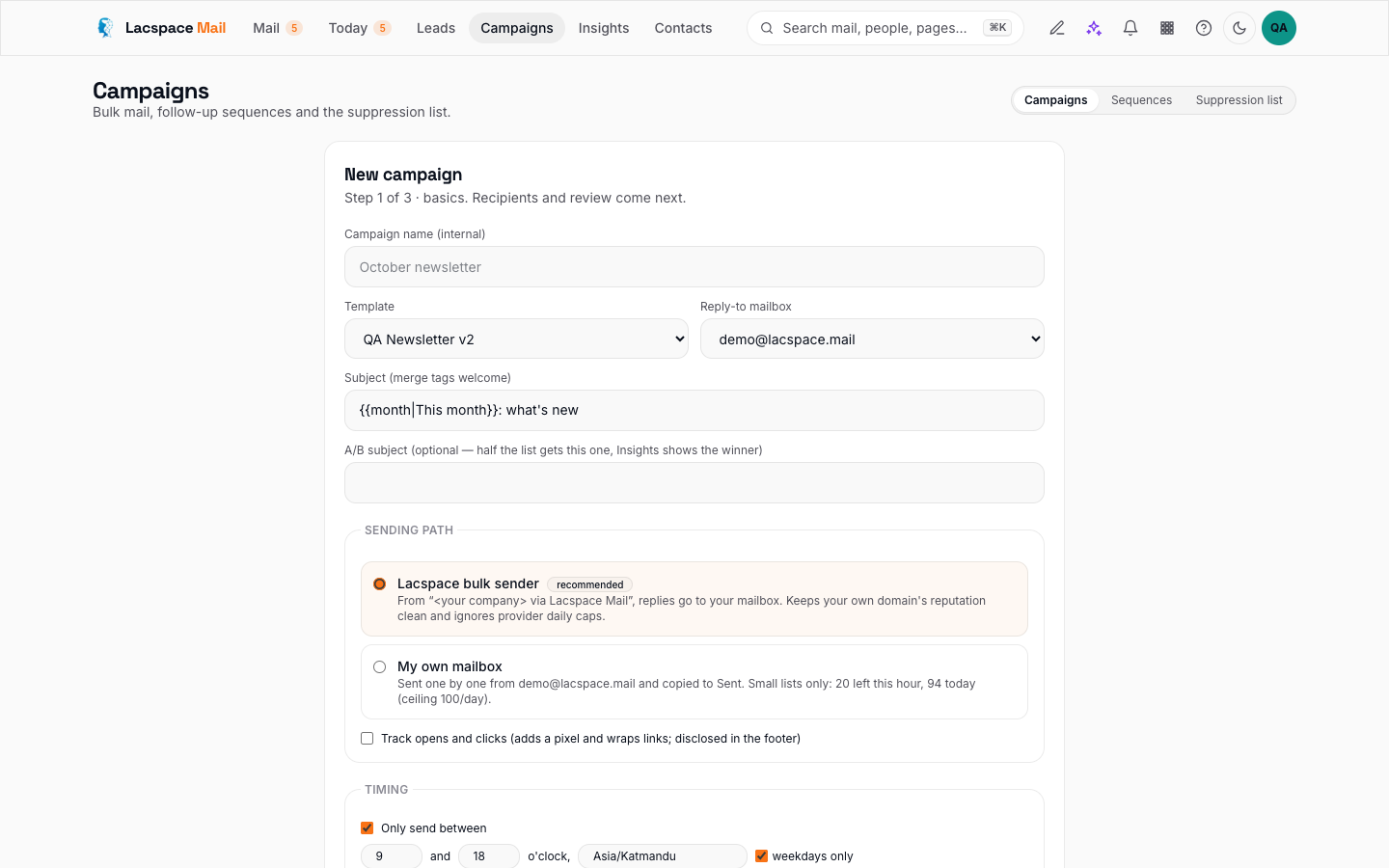
A campaign is one message to many people: a newsletter, a launch, an offer, a festival greeting. In Lacspace Mail you pick a template from the Studio, add recipients from a paste, a CSV, contacts, leads or a whole lead stage, and preview exactly what each person will receive. You can A/B the subject, pick a send window in the recipient's time zone, and watch delivered, opened, clicked, replied, bounced and unsubscribed update live.
Campaigns default to the platform sender: the From line reads “your brand via Lacspace Mail”, replies come to your address, and the message carries the List-Unsubscribe and one-click headers that Gmail and Yahoo require from bulk senders. That is deliberate. Bulk reputation should live away from the address you use to talk to clients. Your own mailbox is allowed for small lists within its ceiling.
Three rules the lint will enforce or warn about: a visible unsubscribe link, link text that matches where it goes, and no spammy phrasing. Open rates are directional — privacy proxies open mail on your recipients' behalf, and Lacspace Mail filters those rather than counting them as people.
Sequences: one to one, at scale
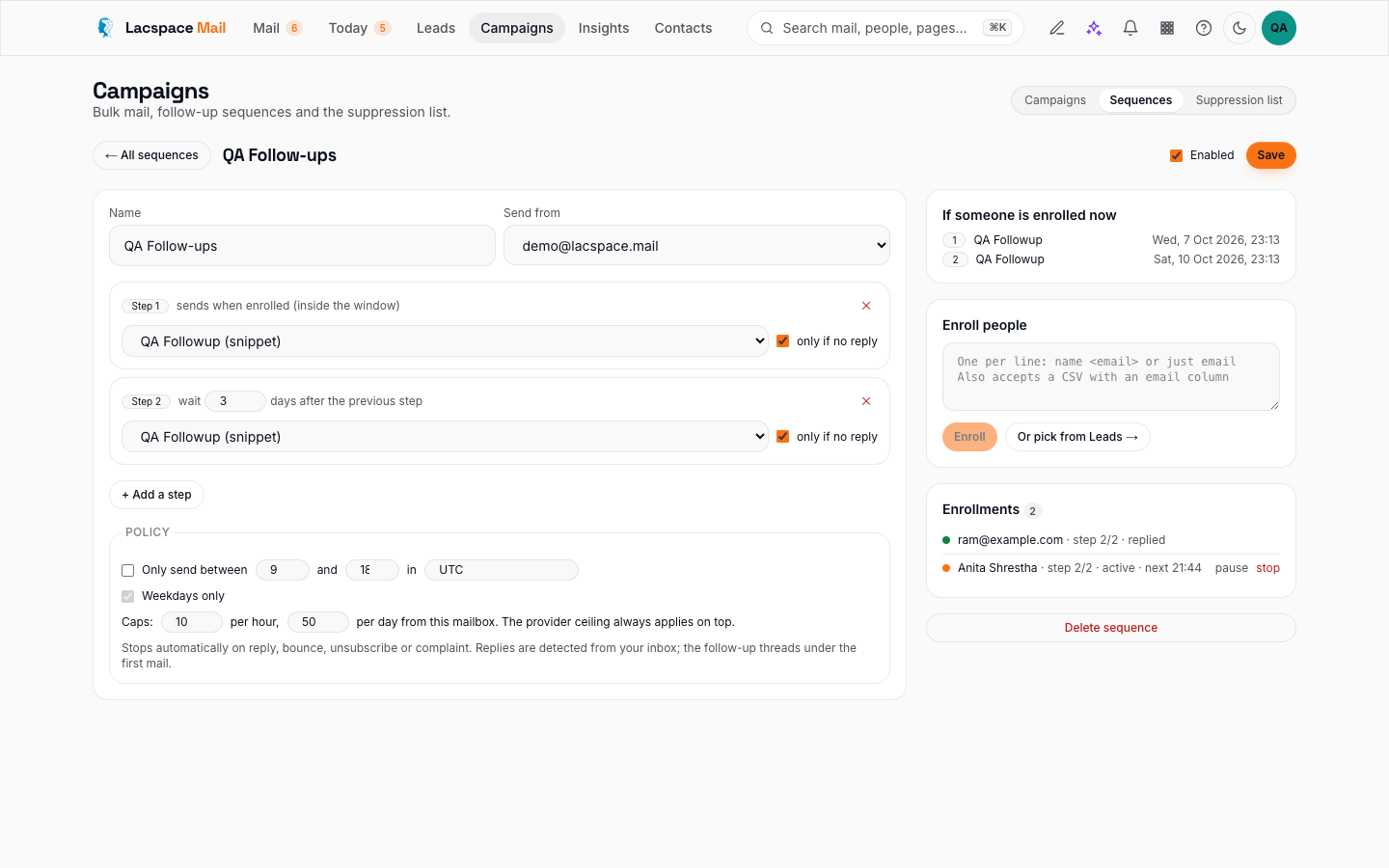
A sequence is a personal follow-up on autopilot. Step one introduces you and asks a real question. Step two, two to four days later, goes out only if nobody replied. Step three is a single line. Every step is sent from your own mailbox, through your provider, as a reply in the same thread — so the recipient sees one conversation, not three emails.
The moment they answer, the sequence stops and the lead is marked replied. A bounce stops it and suppresses the address. An unsubscribe does the same. And the whole thing runs under your mailbox's ceiling — 20 an hour and 100 a day by default, counting manual mail too — so no sequence can ever push you over the limits your provider enforces.
Sequences that get replies are the ones that ask something. Write step one as a question you actually want answered.
The habits that keep both out of spam
- Authenticate your domain first. SPF, DKIM and DMARC. Without them even a perfect campaign lands in spam. Settings → Domains shows the records.
- Warm up, then grow. New domains and mailboxes earn reputation. Start with dozens to people who know you, keep bounces under two percent and complaints near zero, then double weekly.
- Verify before you send. Run “Verify emails” on imported lists. Addresses with no mail server bounce, and bounces cost reputation.
- Let the suppression list grow. Unsubscribes, bounces and complaints are honoured forever across campaigns and sequences. Never import around it; add complainers by hand too.
- Schedule for their morning. A send window in the recipient's time zone beats a clever subject line.
Both tools, the ceiling, the tracking model and the suppression list are documented in detail at mail.lacspace.com/how-it-works.
Build your first sequence → Read how it works
Frequently asked questions
Can I send a campaign from my own mailbox?
For small lists, yes — within the mailbox's daily ceiling. For anything larger, use the platform sender: it carries the unsubscribe headers Gmail and Yahoo require and keeps bulk reputation away from your personal address.
How many follow-ups should a sequence have?
Three is the sweet spot: an intro that asks a real question, a short nudge two to four days later, and a one-line close. Each step only goes out if the previous one got no reply, and the whole thing stops the moment they answer.
What is a send ceiling?
The per-hour and per-day limit of a mailbox, counted across everything it sends — manual mail included. Lacspace Mail defaults to 20 an hour and 100 a day, which suits most business mailboxes; a sequence can never push you over it.
Why does the lint block a campaign without an unsubscribe link?
Because bulk mail without one gets reported as spam, and spam complaints damage your domain for months. Every campaign in Lacspace Mail carries a visible link and the RFC 8058 one-click header.