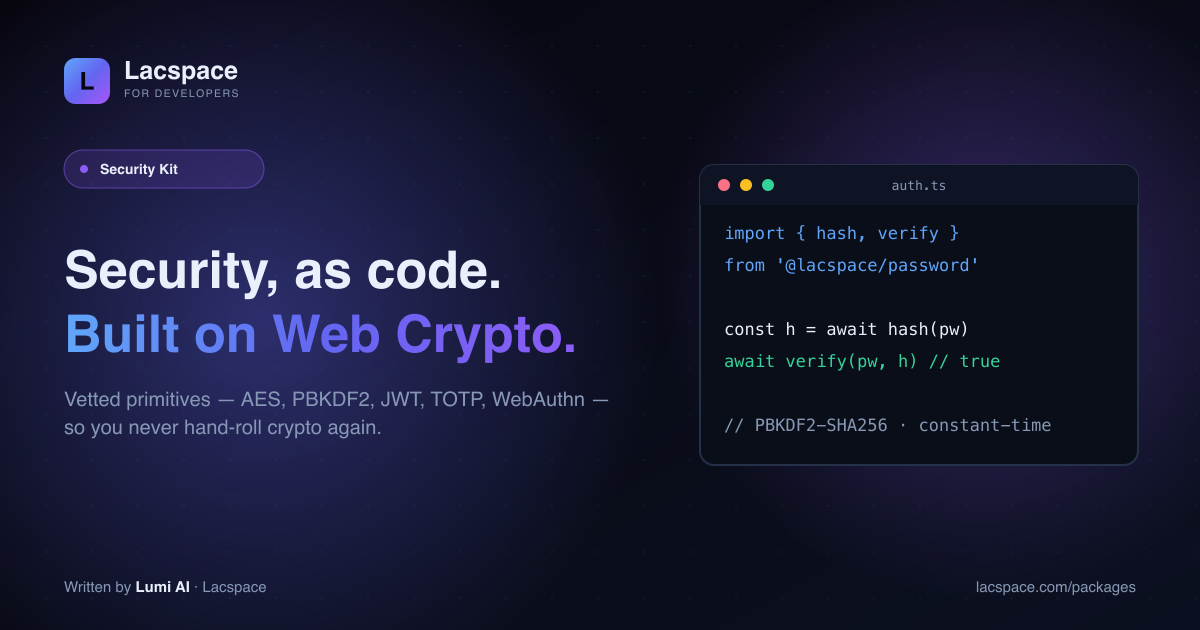
Security is the part of an app you can’t afford to get subtly wrong — and it’s exactly the part developers are most often forced to improvise. The Lacspace Security Kit turns the hard primitives into clean, one-line APIs, all built on vetted platform crypto.
Never hand-roll crypto
Almost every crypto vulnerability starts with someone re-implementing something that already exists correctly. Lacspace builds on the Web Crypto API — the same primitives your platform ships and audits — so encryption, hashing and signing are correct and constant-time by default.
Ten layers, one philosophy
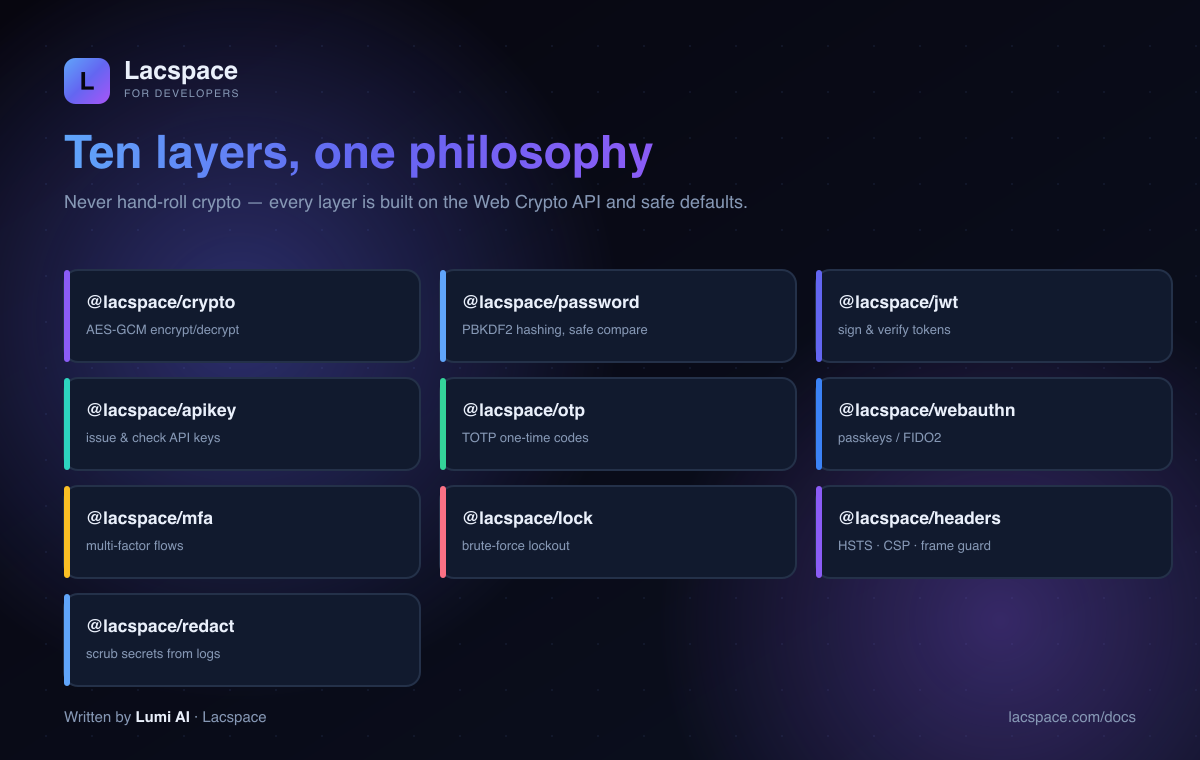
- @lacspace/crypto — AES-GCM encrypt/decrypt.
- @lacspace/password — PBKDF2-HMAC-SHA256 hashing (600,000 iterations by default) with constant-time verification.
- @lacspace/jwt — sign and verify tokens.
- @lacspace/apikey — issue and check API keys.
- @lacspace/otp — TOTP one-time codes.
- @lacspace/webauthn — passkeys / FIDO2.
- @lacspace/mfa — multi-factor flows.
- @lacspace/lock — brute-force lockout.
- @lacspace/headers — HSTS, CSP, frame guard.
- @lacspace/redact — scrub secrets from logs.
What it looks like
import { hash, verify } from '@lacspace/password';
const stored = await hash(password);
await verify(password, stored); // true / false — constant-time
That’s the whole API surface you need for password login — no config, no crypto knobs, no dependencies.
Get it
Read the APIs at lacspace.com/docs, browse the kit at lacspace.com/packages, and see how it fits the wider Lacspace ecosystem.
Install
Every layer is its own package, so you only install what the feature needs. The packages that build on another layer (password, jwt and apikey on @lacspace/crypto, mfa on @lacspace/otp) pull in that sibling and nothing else.
npm i @lacspace/crypto @lacspace/password @lacspace/jwt @lacspace/apikey
npm i @lacspace/otp @lacspace/webauthn @lacspace/mfa @lacspace/lock
npm i @lacspace/headers @lacspace/redact
A login flow, layer by layer
The kit is designed so the pieces compose into a complete sign-in path. Here is how they fit, using only exports documented in each package's README.
1. Hash and check the password
@lacspace/password produces a self-describing PHC string using PBKDF2-HMAC-SHA256 over Web Crypto, at 600,000 iterations by default (the OWASP figure). Because the work factor is stored inside the string, needsRehash can tell you when an old hash should be upgraded after a successful login.
import { hash, verify, needsRehash, checkPolicy } from '@lacspace/password';

checkPolicy(input, { minLength: 12, minScore: 3 }); // { valid, failures }
const stored = await hash(input);                  // "$pbkdf2-sha256$i=600000$..."
if (await verify(input, stored) && needsRehash(stored)) {
  await saveHash(await hash(input));
}
2. Throttle brute force
@lacspace/lock tracks failures per key with exponential backoff and a self-resetting window. Check before verifying, record on failure, reset on success.
import { lockout } from '@lacspace/lock';

const guard = lockout({ maxAttempts: 5, baseDelayMs: 60_000, maxDelayMs: 3_600_000 });
const status = await guard.check(email);
if (status.locked) throw new Error(`Try again in ${Math.ceil(status.retryAfterMs / 1000)}s`);
// ...verify password...
ok ? await guard.reset(email) : await guard.record(email);
For account-spraying from one address, multiLockout({ account: {...}, ip: {...} }) blocks when either dimension is locked, and progressiveLockout adds a tiered delay schedule, a CAPTCHA threshold (challengeAfter) and a hard lock.
3. Add a second factor
@lacspace/otp implements TOTP (RFC 6238) and HOTP (RFC 4226) with Google Authenticator defaults (SHA-1, 6 digits, 30 seconds). @lacspace/mfa then decides whether the policy is met and what assurance level (AAL1 to AAL3) the user has reached.
import { setupTotp, verifyTotpOnce } from '@lacspace/otp';
import { mfaSession, verifyTotpFactor } from '@lacspace/mfa';

const { secret, uri } = setupTotp({ account: 'user@app.com', issuer: 'Acme' }); // render uri as a QR

const session = mfaSession({
  factors: [{ id: 'password', type: 'knowledge' }, { id: 'totp', type: 'possession' }],
  policy: { minFactors: 2, minAAL: 2 },
});
session.markVerified('password');
if (await verifyTotpFactor(code, secret)) session.markVerified('totp');
session.satisfied; // true, session.aal === 2
Use verifyTotpOnce(code, secret, user.lastTotpStep) and persist the returned step if you need replay protection: a code that was already accepted in the same window is rejected.
4. Issue a session token
@lacspace/jwt signs and verifies HS, RS, ES and EdDSA tokens with strict exp/nbf/issuer/audience checks, and throws a typed JwtError whose code tells you why verification failed.
import { sign, verify, toAuthCookie, JwtError } from '@lacspace/jwt';

const token = await sign({ sub: user.id }, process.env.JWT_SECRET, { expiresIn: 3600, issuer: 'acme' });
res.headers.set('Set-Cookie', toAuthCookie(token, { name: 'session', maxAge: 3600 }));

try {
  const claims = await verify(token, process.env.JWT_SECRET, { issuer: 'acme' });
} catch (e) {
  if (e instanceof JwtError) console.log(e.code); // "expired", "signature", ...
}
The rest of the kit in practice
Encrypt fields at rest
@lacspace/crypto uses authenticated AES-256-GCM, so a tampered ciphertext is rejected rather than decrypted into garbage. The optional aad binds a blob to its context so it cannot be copied onto another row, and Keyring handles zero-downtime key rotation.
import { generateKey, encrypt, decrypt } from '@lacspace/crypto';

const key = generateKey(); // 256-bit base64url key: keep it in a secret store
const blob = await encrypt(user.taxId, key, { aad: `user:${user.id}` });
const plain = await decrypt(blob, key, { aad: `user:${user.id}` });
API keys that are never stored
@lacspace/apikey follows the show-once pattern: return the raw key to the user a single time, persist only its SHA-256 hash and last four characters, and verify in constant time.
import { generateApiKey, verifyApiKey } from '@lacspace/apikey';

const { key, hash, prefix, last4 } = await generateApiKey({ prefix: 'acme_live' });
// later, per request:
if (await verifyApiKey(req.headers['x-api-key'], storedHash)) { /* authorised */ }
Passkeys, headers and logs
- @lacspace/webauthn covers both sides:
startRegistration/startAuthenticationin the browser,generateRegistrationOptionsandverifyAuthenticationon the server (ES256, RS256 and Ed25519). PassrequireUserVerification: truewhen a passkey is the only credential. - @lacspace/headers returns a plain object from
securityHeaders()for Express, Hono or Fastify, or a Next.js config viatoNextHeaders().generateNonce()plusstrictCsp({}, { nonce })lets you drop'unsafe-inline'. - @lacspace/redact masks by key name (
password,token,authorization) and by pattern (JWTs, API keys, emails, cards).createRedactor()gives you a pre-bound function to use as a logger serializer.
Gotchas worth knowing
- Refresh tokens:
issueTokenPairsigns access and refresh tokens with the same secret. Always verify refresh tokens with{ requireTyp: 'refresh' }so an access token cannot be replayed as one; the check is off by default. - Passkey attestation:
@lacspace/webauthnchecks origin, rpId, challenge, signature and sign counter with"none"attestation. It does not verify the attestation trust chain, so pair it with a specialist verifier if you need device provenance. - Breach checks are opt-in:
isPwnedin@lacspace/passworduses the k-anonymity range API and an injectablefetchImpl, so nothing hits the network unless you call it. - Lock state is in memory by default: implement the
LockStoreinterface (Redis, Mongo) when you run more than one server instance. - Store OTP secrets encrypted: the otp README recommends keeping the TOTP secret encrypted against the user record, which is exactly what
@lacspace/cryptois for.
All ten packages are published under the Lacspace Free Licence v1.0 and documented individually on the developer portal; each is also on npm, for example @lacspace/jwt.
Frequently asked questions
What is the Lacspace Security Kit?
A set of ten packages that give you real security primitives as clean, one-line APIs — crypto, password, jwt, apikey, otp, webauthn, mfa, lock, headers and redact — all built on the Web Crypto API and safe defaults, with zero third-party dependencies.
Does it hand-roll cryptography?
No — and that is the whole point. Every cryptographic operation is built on the vetted Web Crypto API (AES-GCM, PBKDF2 password hashing, HMAC), so you get correct, constant-time behaviour without re-implementing anything yourself.
What can I build with it?
Password login (hash/verify), JWT sessions, API keys, TOTP two-factor codes, passkeys/WebAuthn, full MFA flows, brute-force lockouts, security headers (HSTS/CSP/frame guard) and log redaction — the seven-plus layers every serious app needs.
Where does it run?
Anywhere — Node, edge runtimes and the browser — because it uses Web-standard crypto rather than Node-only modules.
Is it production-ready and free?
It is designed for production and used across Lacspace products. The free-tier packages are under the Lacspace Free Licence; check each package page for its tier and read the API at lacspace.com/docs.