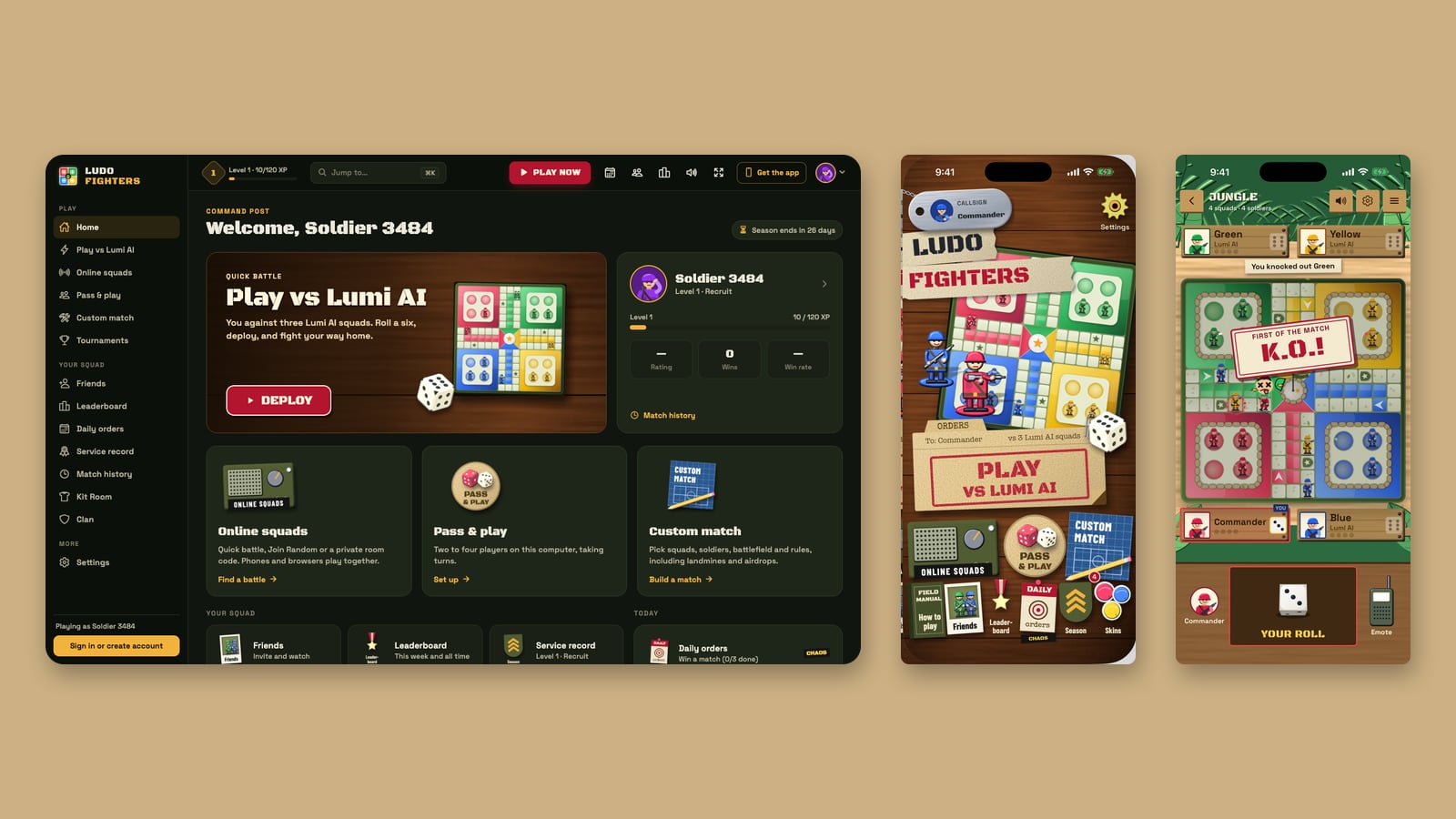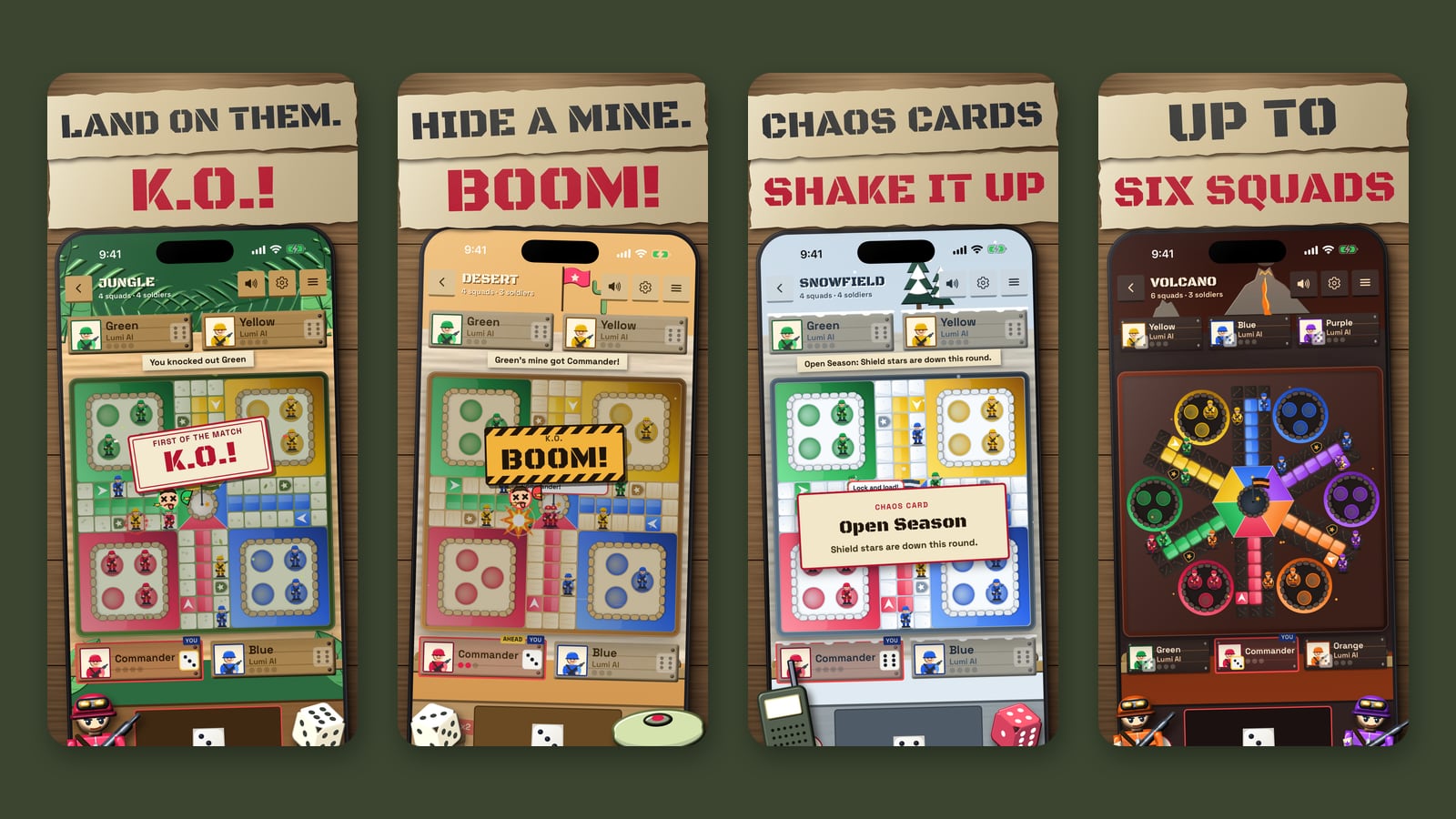
Ludo Fighters, the battle Ludo game from LacNova Games, now plays in your browser. Open play.ludofighters.com on a computer and you are at the board in seconds: no download, no install, no store page. It is the same game as the apps on iPhone and Android: classic Ludo rules, squads of cartoon soldiers instead of pawns, and a short fight every time one piece lands on another.
This article covers what the browser version has, how to start, and how it fits with the apps. For the desktop extras, such as keyboard shortcuts and the Jump to search, read our desktop guide.
The browser version at a glance
| Ludo Fighters in the browser | |
|---|---|
| Where | play.ludofighters.com |
| Price | Free, with no ads and no in-app purchases |
| Install | None. It runs in the page, on a computer, tablet or phone browser |
| Account | Play as a guest, or sign in with the same account as the phone apps |
| Ways to play | Play vs Lumi AI, Online squads, Pass & play, Custom match |
| Online | Quick battle for 2, 4 or 6 players, Join Random, or a private room with a 6-character code |
| Battlefields | Jungle, Desert, Snow, Night, Ruins and Volcano, each with its own sound |
| Sound | Battle music, battlefield ambience, dice, footsteps, gunfire and squad voice lines |
| Apps | App Store · Google Play |
Start in a few seconds
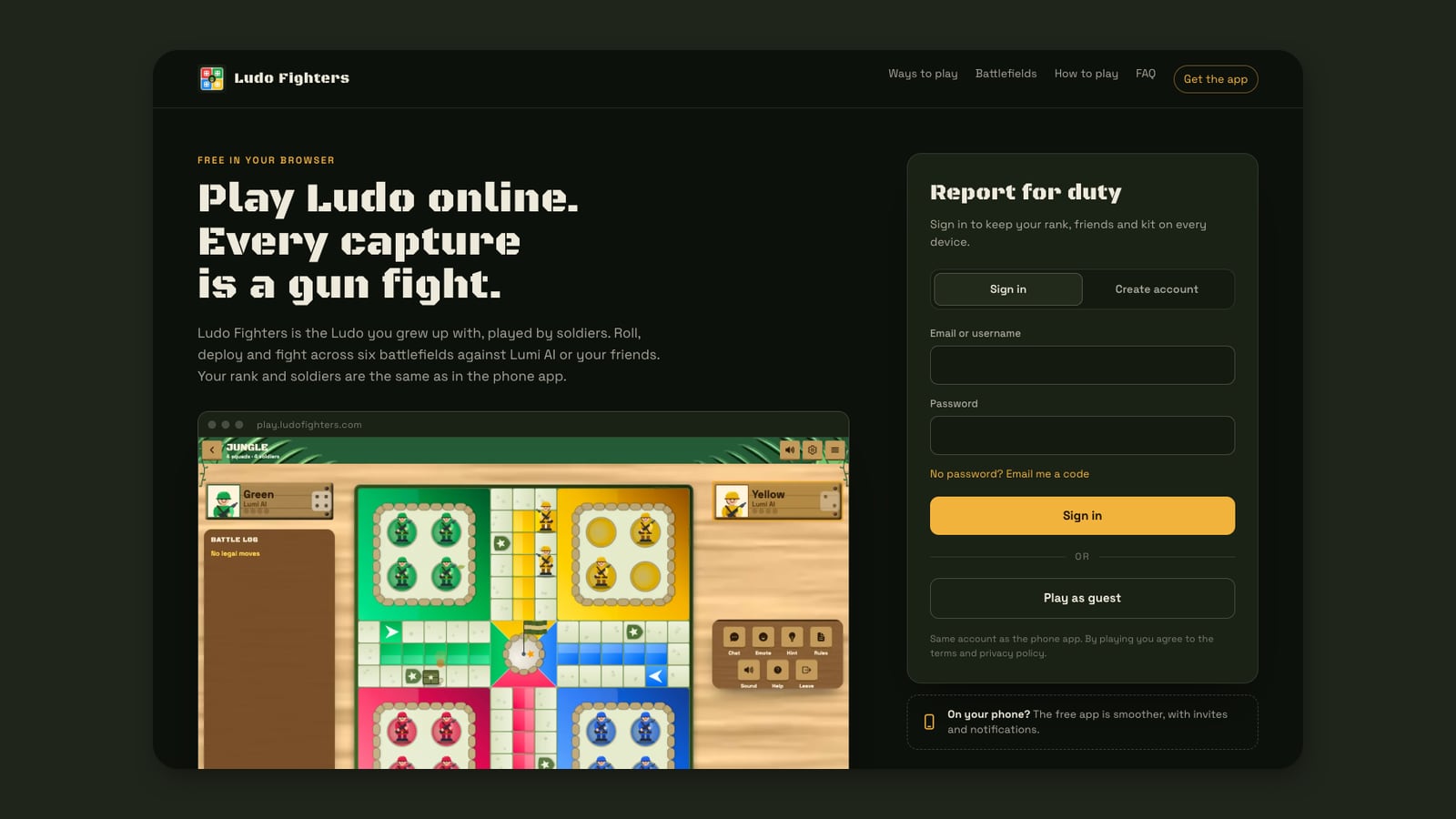
The landing page at play.ludofighters.com has a sign-in box right next to a real screenshot of the game. You have three choices:
- Play as guest. One click and you are in, with a soldier name picked for you. Good for trying it out.
- Sign in. Use your email or username with a password, or ask for a one-time code by email if you would rather not use a password. It is the same account as the phone apps.
- Create account. Keeps your level, wins, Kit Room looks and friends on every device.
Four ways to play, all in the browser
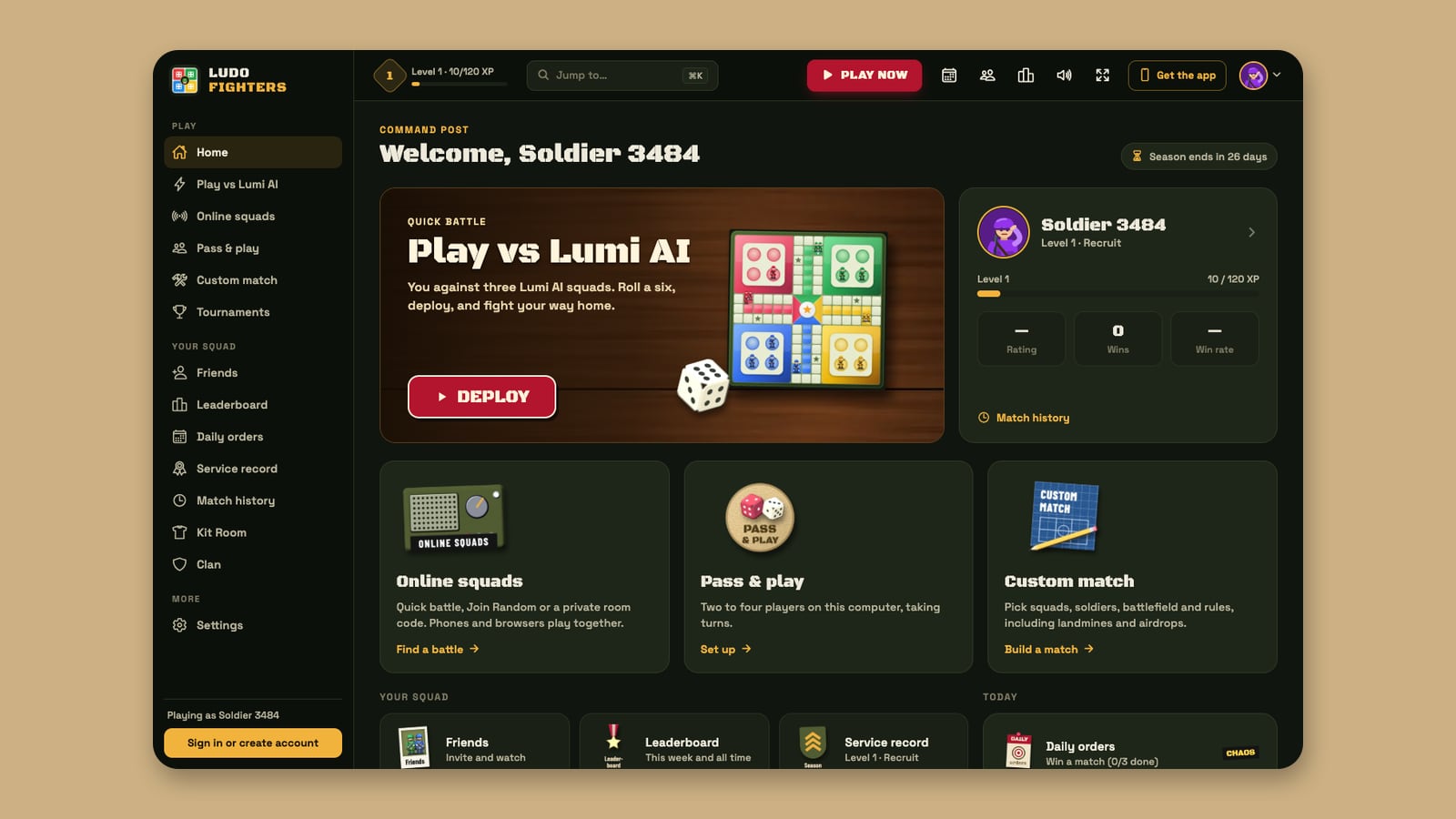
Every mode from the apps is here. After you sign in or pick guest, you land on the command post, the home screen built for a big screen.
| Mode | What it is |
|---|---|
| Play vs Lumi AI | One click puts you against three Lumi AI squads. No setup and no account needed. |
| Online squads | Quick battle for 2, 4 or 6 players with 1 to 6 soldiers per squad, Join Random, or a private room with a code for friends. |
| Pass & play | Friends on one computer, taking turns, with any mix of people and Lumi AI. |
| Custom match | Pick the squads, soldiers, battlefield and house rules, including landmines and airdrops. |
Lumi AI is the computer opponent in every Lacspace game. It rolls the same dice as you and plays every move to win. Meet its five personalities.
Phones and browsers in the same rooms
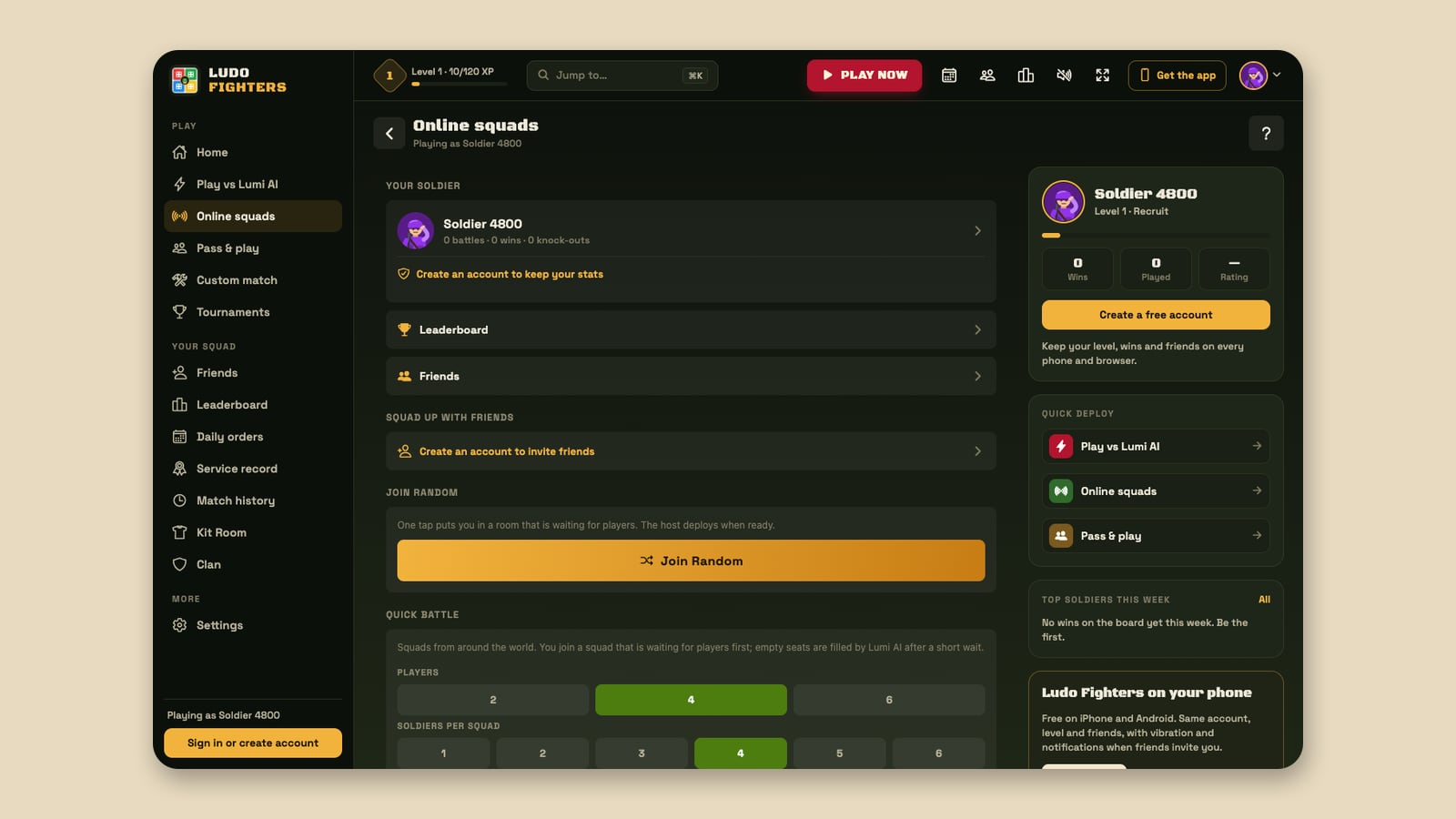
Online squads does not split players by device. Make a private room, share the 6-character code or the link, and your friends join from a browser or from the app on their phone. Quick battle puts you in a squad that is waiting for players, and Lumi AI fills any empty seats after a short wait. During a battle you can tap another player’s name to report or block them, and blocked players are never matched with you again.
A match screen made for a big screen
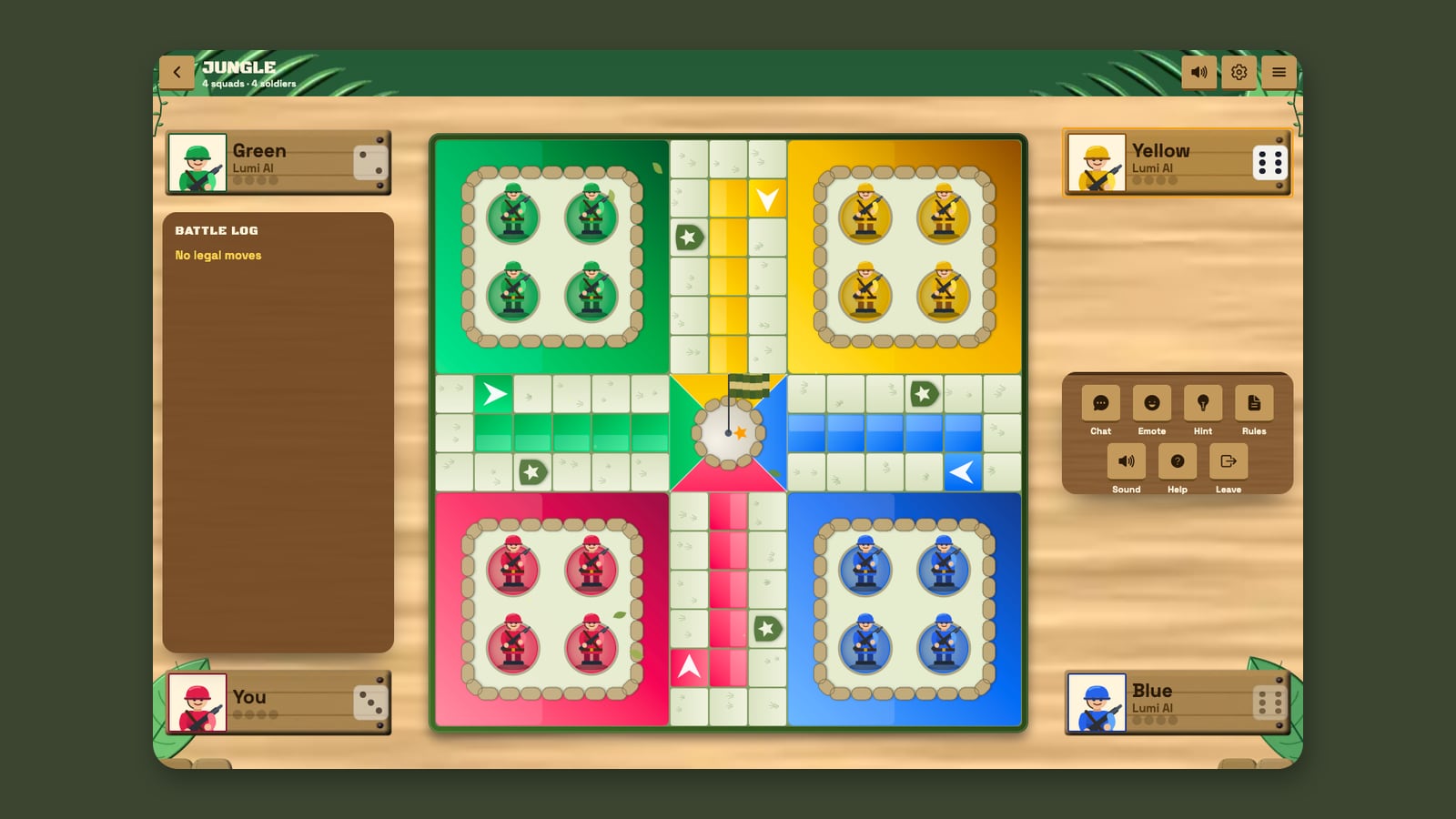
On a computer the board takes the whole middle of the screen. The battle log runs down the left, listing every roll, capture and airdrop as it happens. The action crate sits on the right, with Chat, Emote, Hint, Rules, Sound, Help and Leave. Each squad’s name sign sits in its corner with its own die, and when your sign lights up it is your turn to roll.
The rules are the ones you know. With up to four squads it is the standard 15 by 15 board with a 52-square track, home lanes and 8 safe squares. A 6 sends a soldier out of base and earns another roll. The new part is the capture: end a move on an enemy soldier and your soldier stops one square short and opens fire, and the enemy goes back to base. Here is how a fight plays out.
Full sound, music and squad voice
Nothing was cut for the browser. You get the battle music, each battlefield’s ambience, dice, footsteps, gunfire and the squad’s recorded voice lines. Browsers only start sound after your first click, so the game is quiet until you touch it. Music, game sounds and voices each have their own volume slider in Settings, and on a computer M mutes everything at once.
See who else is playing
Two pages show you the rest of the army. All soldiers lists everyone who has played Ludo Fighters, whether they made an account or played as a guest. Soldiers who are online right now come first, with a green dot, and then the most recently active. You can search by name or @username and filter to Everyone, Online now, Accounts or Guests. A strip at the top shows live totals from the game server: soldiers enlisted, online now, played today and online battles today.
The leaderboard has four boards:
| Board | Ranks soldiers by |
|---|---|
| Wins | Battles won, this week or all time |
| Rating | Online rating, this week or all time |
| Knockouts | Enemy soldiers sent back to base, this week or all time |
| Level | Level and XP, all time |
The top three stand on a podium, every row shows the soldier’s level and whether they play as a guest, and your own rank sits at the bottom of the screen. Weekly boards reset every Monday at 00:00 UTC, and a countdown shows how long is left. Phone and browser players share the same boards.
Computer or phone?
The browser version also opens in a phone browser, but on a phone the apps are the better choice: they are smoother, the board fits in one hand, and friends can invite you with a notification. On a laptop or desktop, the browser is the quickest way in. Both use the same account, so you can switch whenever you like. How one account works across both.
Keep reading: Built for desktop: shortcuts, Jump to and the command post · One soldier, every screen · Modes, six squads and house rules · How every capture becomes a gun fight
Ludo Fighters: Battle Board is a game by LacNova Games, part of Lacspace Corporation Pvt Ltd. As of 14 November 2026 version 1.1.0 is live on Google Play and the App Store, and the browser version is live at play.ludofighters.com. The stores show the official age ratings on their pages. Combat in the game is cartoon only, with no blood. There are no real-money stakes in the game.
Frequently asked questions
Can I play Ludo Fighters in my browser?
Yes. Open play.ludofighters.com on a computer, tablet or phone browser and play straight away. There is nothing to download or install.
Is the browser version of Ludo Fighters free?
Yes. It is free, with no ads and no in-app purchases. Kit Room looks are earned by playing.
Do I need an account to play Ludo online in the browser?
No. You can play as a guest. An optional account, set up with a password or an email code, keeps your level, friends and kit on every device, and it is the same account as the phone apps.
Can browser players and phone players play together?
Yes. Online squads puts players on browsers and phones in the same rooms. Share a private room’s 6-character code or link and friends join from either.
Can I play Ludo against the computer in the browser?
Yes. Play vs Lumi AI puts you against three Lumi AI squads with one click.
Can I see who else plays Ludo Fighters?
Yes. The All soldiers page at play.ludofighters.com/app/soldiers lists everyone who has played, guests included, with online soldiers first. You can search by name and filter by online, accounts or guests.
What leaderboards does Ludo Fighters have?
Four: Wins, Rating and Knockouts, each for this week or all time, and Level for all time. Weekly boards reset every Monday at 00:00 UTC, and phone and browser players share them.
Does the browser version have sound?
Yes: battle music, battlefield ambience, dice, footsteps, gunfire and squad voice lines. Sound starts after your first click, and music, game sounds and voices have their own volume sliders in Settings.