The most useful leads for a local business are not in a database you have to pay for. They are on the map. Every café without a website, every clinic with a 4.8 rating and no online booking, every studio with a phone number and nothing else — those are the businesses that want help, and they are public.
Lacspace Mail turns that into a working pipeline with its free Lead Finder. Here is the whole flow, start to finish.
1. Save a search
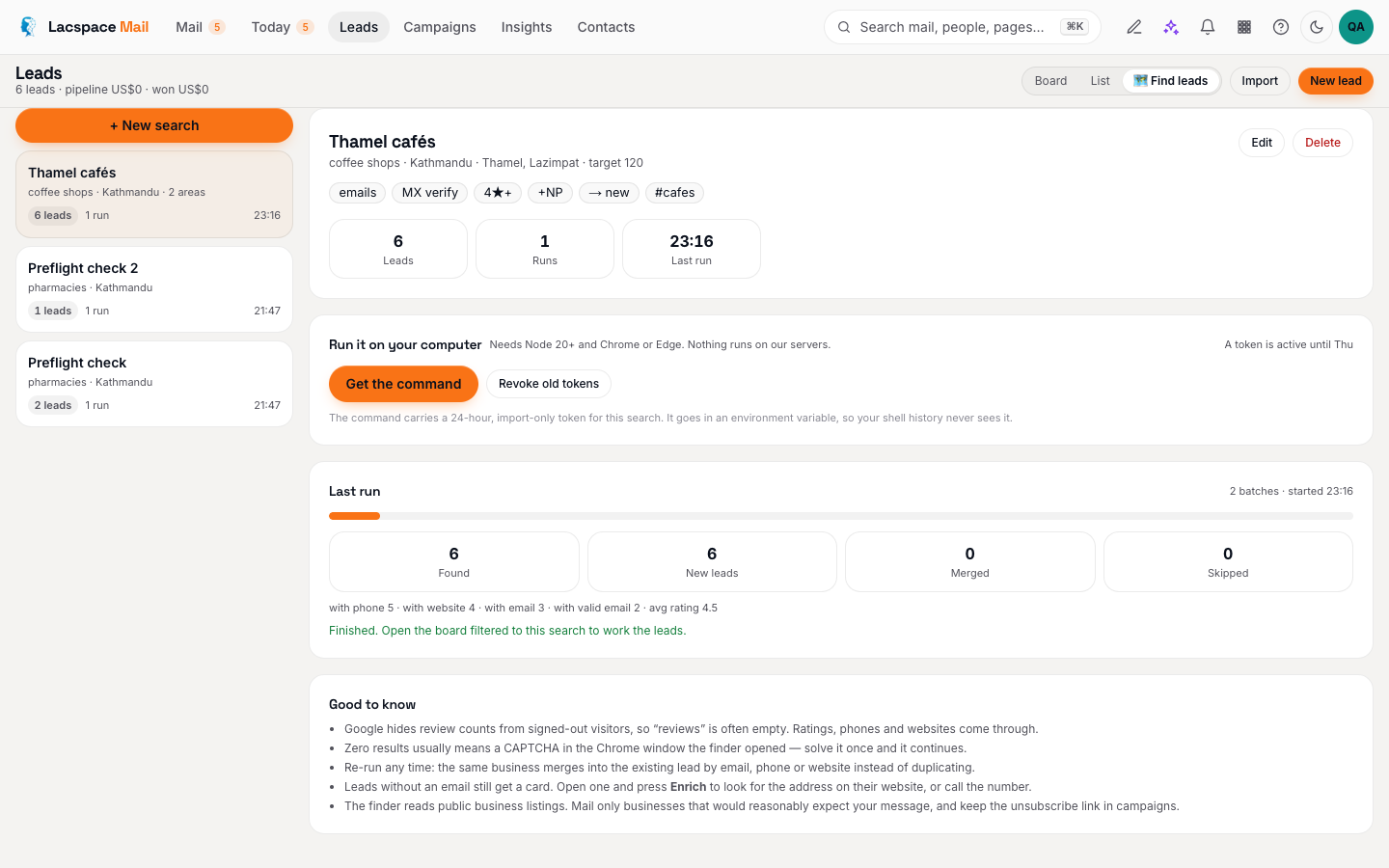
Open Leads → Find leads and describe what you want: a business type (“restaurants”, “dental clinics”, “coworking spaces”), one or more cities and areas, and how many unique leads you need. Then set the filters that make a list worth working:
- Only businesses without a website — the classic pitch list for anyone who builds websites or runs online booking.
- Must have a phone — skip listings you cannot reach.
- Minimum rating — 4★ and up if you want businesses that are already doing well.
- Find and verify emails — the finder reads each business website for a contact address and checks that the domain can receive mail.
Choose which stage new leads land in and a tag for the batch, then save.
2. Copy one command
Press Get the command. Lacspace Mail mints a token that can only import leads into that one search, expires in 24 hours and can be revoked, and shows you a single line to paste into a terminal. The token travels in an environment variable, so your shell history never sees it. You need Node 20 or newer and Chrome or Edge; that is all.
Run it. Chrome opens and walks Google Maps. One map search stops serving results around 120 listings, so the finder tiles the map outwards until it reaches the number you asked for. Press Ctrl-C any time; everything found so far is saved.
3. Watch the board fill
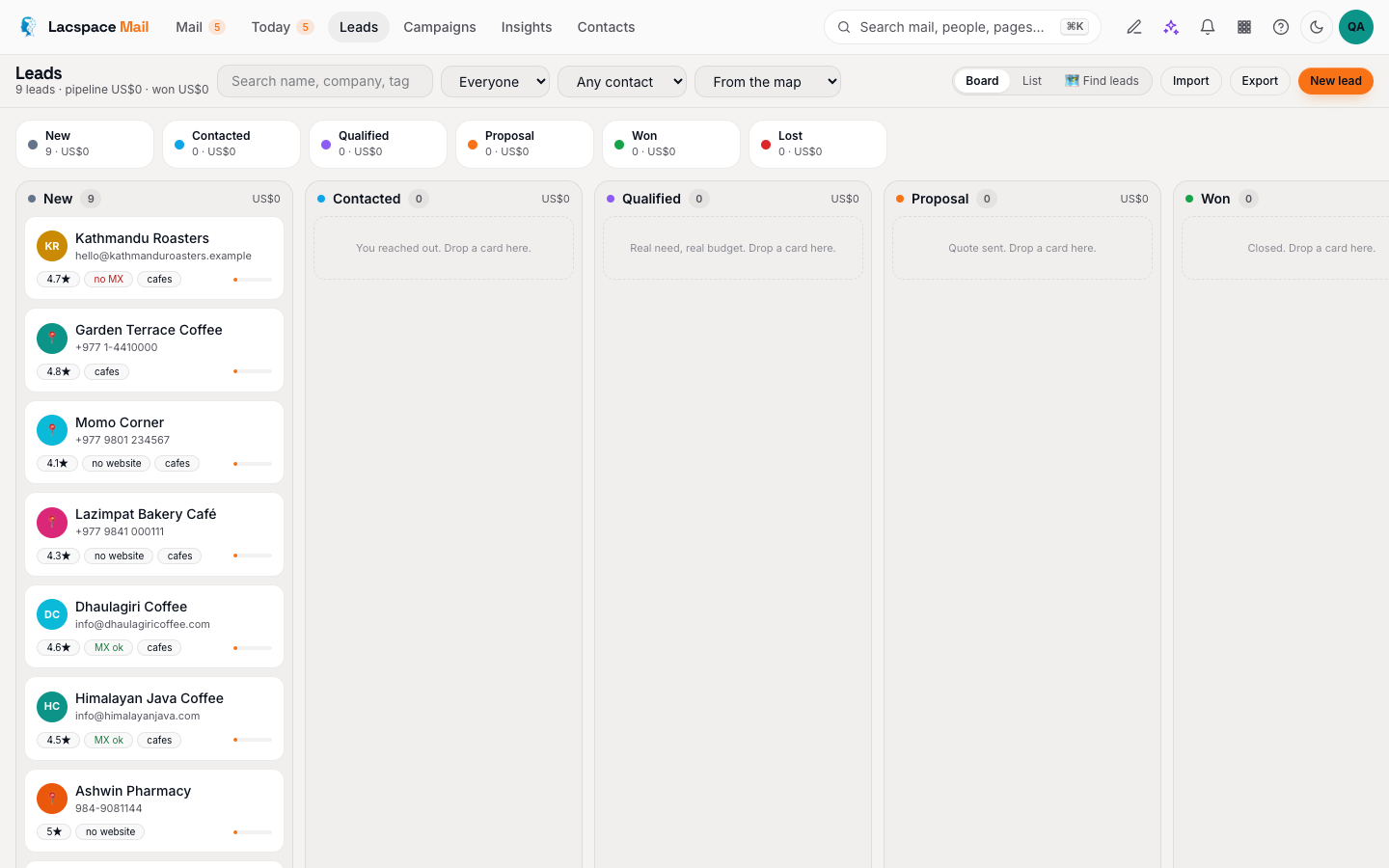
Each finished business is pushed to the portal in small numbered batches — a retried batch is recognised and ignored, so a flaky connection never doubles your leads — and appears on the board within seconds: name, phone, website, rating, address, category, socials, and the email if one was found. The portal verifies every email's mail server with a DNS lookup (nothing is sent) and marks it valid, no MX or unknown. A CSV is written on your computer too, so you always keep a copy.
| Step | Where | What happens |
|---|---|---|
| 1. Save a search | Leads → Find leads | Type, cities, areas, target, filters, stage and tags |
| 2. Get the command | Same screen | 24-hour import-only token in an environment variable, one command to paste |
| 3. Run it | Your terminal | Chrome walks the map and tiles outwards until it reaches your target; Ctrl-C saves |
| 4. Work the board | Leads | MX-checked emails, Find email, bulk add to a sequence or campaign |
4. Work the leads
Now the board does what boards do. Filter to “no email yet” and call those. Open a card and press Find email for the ones with a website. Select the rest and add them to a sequence: three short steps from your own mailbox, two to four days apart, each only if the previous one got no reply. The sequence stops itself the moment someone answers, and the reply lands as a notification with the lead card one click away.
For an announcement rather than a conversation — a new service, an offer — add them to a campaign instead, with the unsubscribe link the lint insists on.
Good to know
- Google hides review counts from signed-out visitors, so “reviews” is often empty. Ratings, phones and websites come through.
- Zero results usually means a CAPTCHA in the Chrome window the finder opened. Solve it once and the run continues.
- The finder reads public business listings in your browser. Mail only businesses that would reasonably expect your message, and let the suppression list grow.
The full mechanics, including the token model and the dedupe keys, are in the documentation.
Try the Lead Finder → Read how it works
Frequently asked questions
Is the Lead Finder really free?
Yes. lacspace-leads is a free, open npm tool with no API key. It drives a real Chrome on your own computer over Google Maps and reads public business listings. Lacspace Mail receives the results; nothing runs on Lacspace servers.
Why does it run on my computer and not in the cloud?
Three reasons: datacenter IPs get CAPTCHAs fast and return nothing, a headless browser would eat memory on shared servers, and reading the map from our infrastructure would put us on the hook for Google's terms. Your own browser is the right place for it.
What happens to businesses without an email?
They still get a card with phone, website, rating, address and category. Open the card and press Find email — Lacspace Mail reads their website for a contact address — or simply call the number.
Will re-running a search create duplicates?
No. A lead answers to its email, phone, website host and place, so a re-run merges into the existing card instead of creating a new one.
Is cold outreach to these businesses allowed?
Mail only businesses that would reasonably expect your message, keep the unsubscribe link in every campaign, and honour the suppression list. Lacspace Mail enforces the unsubscribe for bulk mail and stops sequences the moment someone replies or unsubscribes.