Seventy-six games is a lot of choice. Some players open the app knowing exactly what they want. Many open it and scroll. We built three small features to shorten the scroll: Surprise me, the Next up card and app-wide charts of what everyone plays. We also wanted the charts to be honest without knowing who anyone is. Here is how all three work.
Surprise me: a shuffle that takes its time
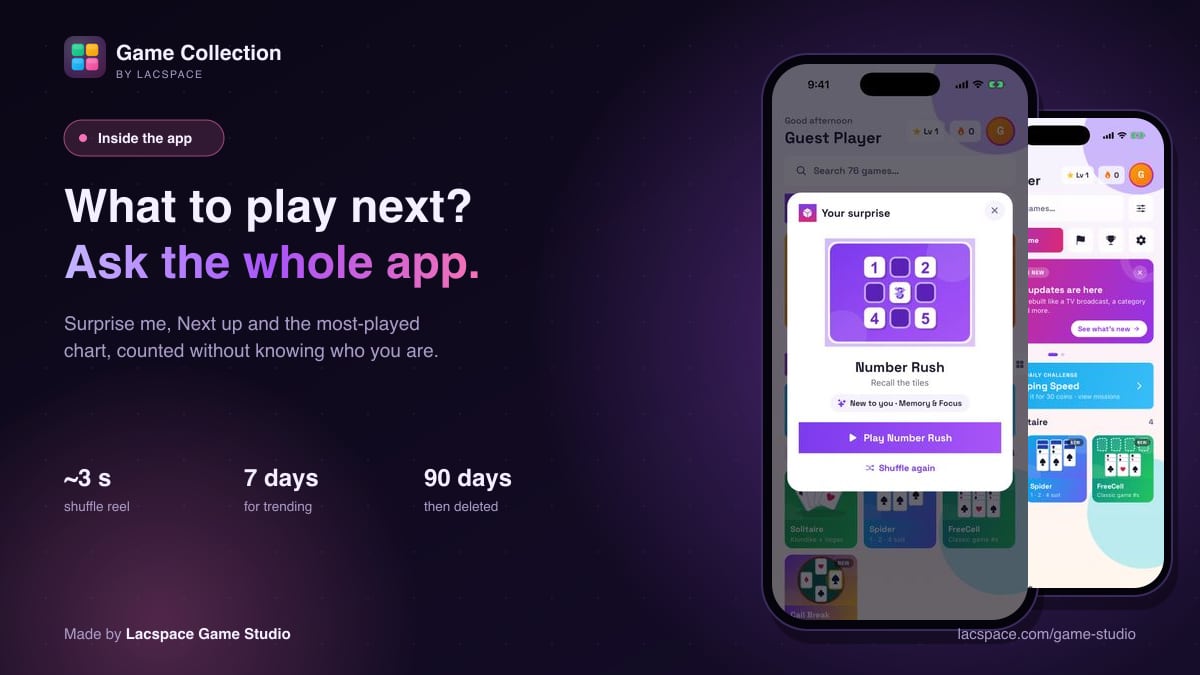
Tap Surprise me and a reel spins through game tiles in the middle of the screen, with a whoosh and a tick for each tile. It starts quick, slows down and lands after about three seconds. We first made it faster, but an instant answer felt like a random number and not a surprise. The slowdown is what makes it feel like a reveal.
The pick itself isn't uniform. Each game gets a weight:
| Game | Weight |
|---|---|
| Never played by you | 5 |
| Trending with all players this week | 3 |
| Played fewer than 5 times | 2 |
| Everything else | 1 |
Your last four games and the previous surprise are left out, so it doesn't send you straight back to what you just closed. When it lands, a small chip tells you why it picked the game, such as "New to you". You can play it, or shuffle again.
Next up: one useful thing, at the top
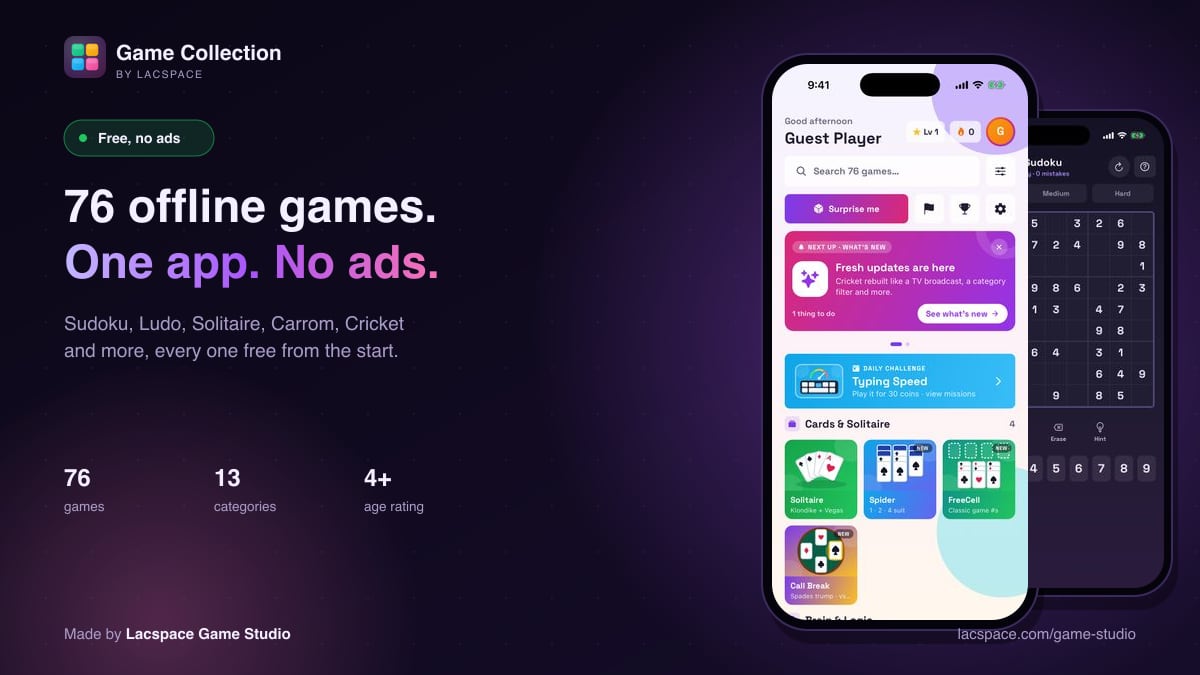
The card at the top of the home screen shows the one thing most worth doing, in priority order:
- Save a streak that's about to break.
- Set up cloud save.
- Turn on a daily reminder.
- Answer friend requests.
- Collect rewards.
- Pick a username.
- See what's new.
Any tip can be snoozed for three days. When there's nothing left to do, the card shows a game picked for you and a short line of motivation.
Most played: everyone's plays, added up
The search screen shows Most played, Trending this week and Most searched. They're counted across every player. If one player has played Ludo 20 times and another 30 times, Ludo shows 50.
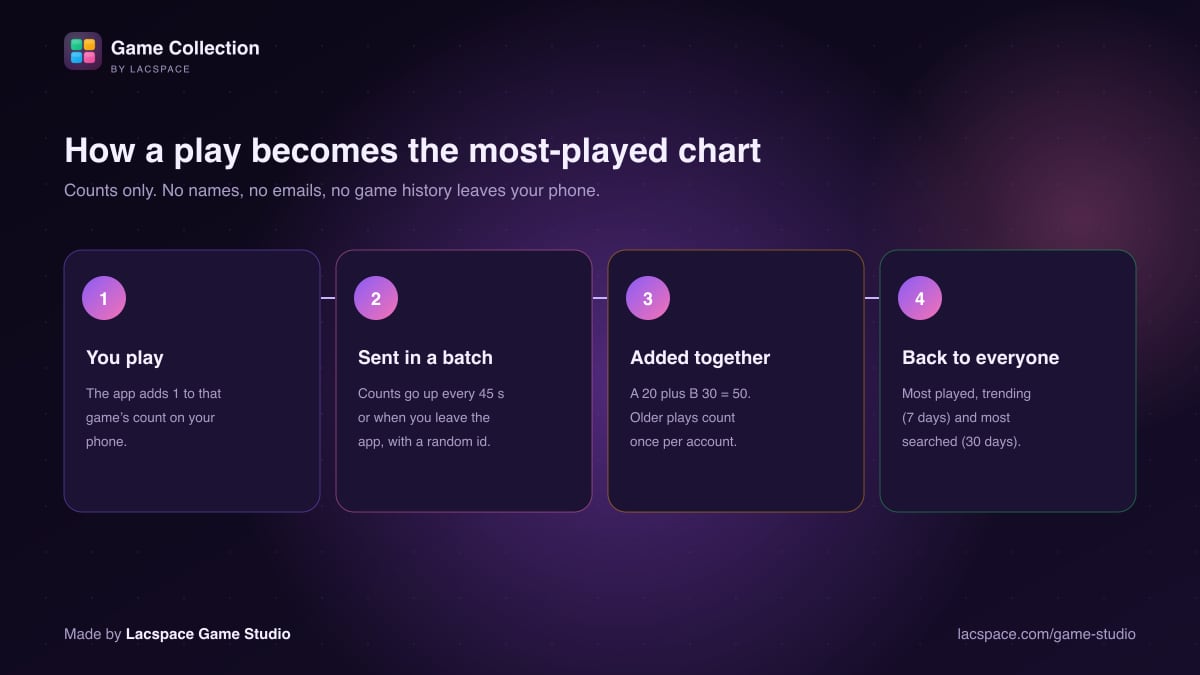
- You play. The app adds one to that game's count on your phone.
- Counts are sent in a batch every 45 seconds, or when you leave the app. Each batch carries a random device id that the app creates for this purpose. It is not your name, email or account.
- The server adds them up. Totals per game, plus daily counts for the trending list.
- Everyone sees the result. Trending covers the last 7 days and most searched the last 30. Daily records and search terms are deleted after 90 days.
What is never collected
- No names, emails or usernames in the counts.
- No record of which player played which game, or when. The server keeps totals per game and per day, not a history per person.
- No advertising identifiers. The app has no ads to target.
- A search term appears in the popular searches list only after it has been searched more than once.
The privacy policy in the app describes these anonymous counts in plain language. This article explains the mechanics behind them.
This is one small example of how Lacspace Game Studio works (read more about the studio). Even the button that picks a game gets the same care as the games themselves.
Keep reading: Inside Lacspace Game Studio · 76 free offline games with no ads · Meet Lumi AI, our game opponent · How to play Ludo online with friends
Game Collection is made by Lacspace Game Studio. This article describes the app as of 3 November 2026; games and features change with updates. Game Collection is free, with no ads and no in-app purchases.
Frequently asked questions
How does Surprise me choose a game?
It weights the collection towards games you have never played (weight 5), games trending this week (3) and games you have played fewer than five times (2), skips your last four games and the previous surprise, then reveals the pick after a shuffle of about three seconds.
Is the most-played chart counted across all players?
Yes. Plays from every player are added together, so if one player plays Ludo 20 times and another 30 times, Ludo shows 50 plays.
Does Game Collection know which games I play?
For the charts, the app sends only play and search counts with a random device id, never your name, email or username, and the server keeps totals rather than a record of who played what. The one exception is a single baseline batch, which includes your account id so old plays are counted only once.
How long are play counts kept?
Daily counts and search terms are deleted automatically after 90 days. The all-time totals per game are just numbers and are not linked to any player.
What is the Next up card?
It is the card at the top of the home screen that shows the most useful next step, such as saving a streak, enabling reminders or answering friend requests, and shows a game picked for you when everything is done.