
In short
- A static QR is one fixed code for your shop; a dynamic QR is generated for each bill and already contains the amount.
- Nepal Rastra Bank’s NepalQR framework, issued in February 2021, sets one standard so codes can work across apps and networks.
- The framework says customers should not be charged for paying by QR.
- Mark every bill as cash, QR or credit, then compare the QR total with your statement each evening.
- Trust the notification in your own merchant app, never a customer’s screenshot.
A QR code on the counter is the easiest way for a shop in Nepal to take payment without cash. The customer scans, types the amount, and shows you a green tick. The hard part comes later: at closing time, when the cash drawer, the bills and the bank balance have to agree.
This guide explains how QR payments work, the difference between a static and a dynamic code, what Nepal Rastra Bank’s QR standard says, and a simple routine for keeping the books straight.
How a QR payment works
A QR payment has four parties. Nepal Rastra Bank’s NepalQR framework names them:
- The merchant. That is you, registered to accept QR payments.
- The acquirer. The bank or payment service provider that signed you up, gave you the QR code, keeps your merchant record and settles with you.
- The issuer. The bank or wallet whose app your customer uses to pay.
- The network. The licensed payment system operator that routes the payment between the issuer and the acquirer.
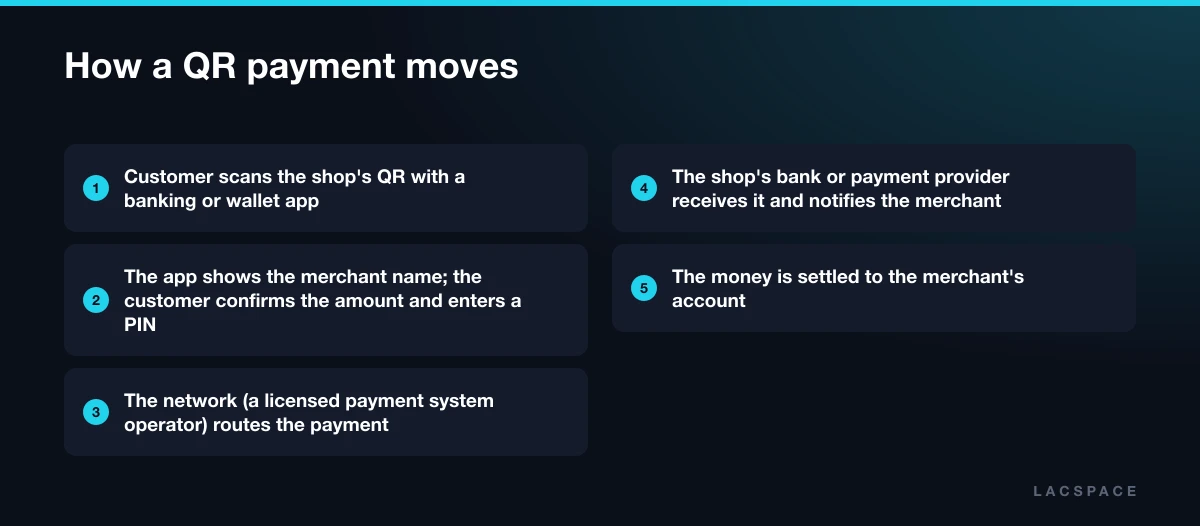
The steps are the same every time:
- The customer opens a banking or wallet app and scans your code.
- The app shows your shop’s name. The customer checks it, enters or confirms the amount, and approves with a PIN.
- The network passes the payment from the customer’s bank or wallet to your acquirer.
- You get a notification, and the customer gets a confirmation with a reference number.
- The money is settled to your account under your acquirer’s terms.
Step 2 matters more than it looks. The framework requires the customer’s app to show the merchant name after scanning. Make sure the name on your QR is one your customers recognise. If the app shows an unfamiliar company name, customers hesitate and staff end up explaining.
Static and dynamic QR codes
There are two kinds of QR code, and they suit different counters. NCHL’s NEPALPAY QR documentation describes them this way: the information in a static QR is fixed and used for many transactions, while a dynamic QR carries extra details such as the payment amount and is used for one specific transaction. Fonepay’s FAQ puts it more simply: a static QR is constant for the merchant, and a dynamic QR is unique for every bill.
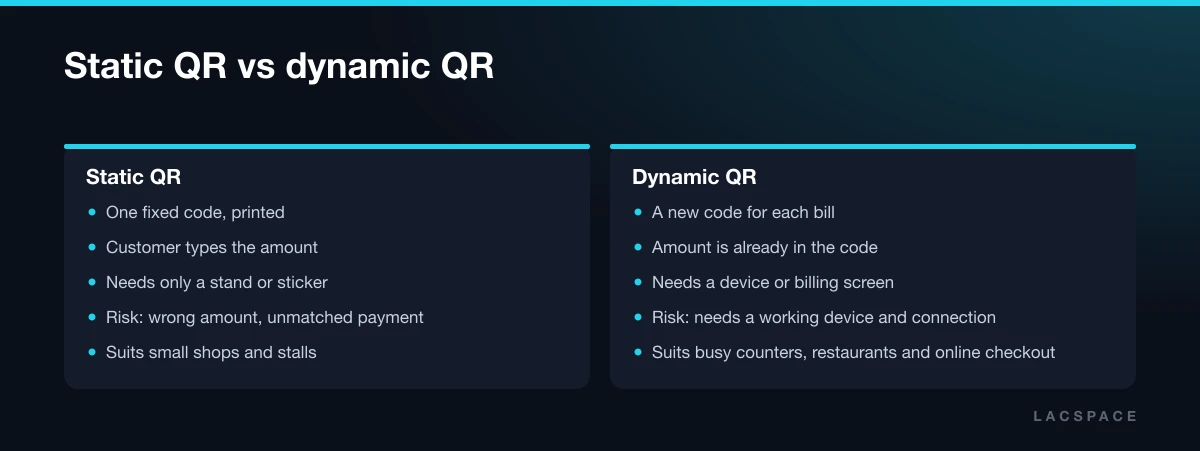
| Static QR | Dynamic QR | |
|---|---|---|
| What it is | One code for your shop, usually printed | A new code for each bill, shown on a screen or receipt |
| Who enters the amount | The customer | Nobody. The amount is already in the code |
| What you need | A printed stand or sticker | A phone, billing screen or printer that can generate the code |
| Main risk | Wrong amount typed, or a payment you cannot match to a bill | Needs a working device and connection at the counter |
| Matching to bills | By hand: time, amount and reference | Easier, because each code belongs to one bill |
| Suits | Small shops, stalls, low volume | Busy counters, restaurants, online checkout |
A small shop can start with a static code, and that is fine. Move to dynamic codes when wrong amounts or unmatched payments start costing you time.
The NepalQR standard and interoperability
In the early days, each provider’s QR code worked only with its own app. Nepal Rastra Bank described the problem directly: a customer who shopped at several stores needed several apps. In February 2021 its Payment Systems Department issued the NepalQR Standardization Framework and Guidelines to fix this. The stated principles are interoperability, scalability and security.
Points from the framework that affect a shop owner:
- Who can run a QR network. Only a licensed payment system operator, with Nepal Rastra Bank’s approval. Providers using their own proprietary codes are to move to NepalQR.
- Who can sign you up. Banks, financial institutions and licensed payment service providers. They must carry out KYC on every merchant.
- Sole proprietors. The framework allows an arrangement for a sole proprietor to receive payments in a savings account, provided the account’s KYC is in order. Ask your bank whether it offers this.
- No fee for the customer. No charge may be levied on the customer for a QR payment unless Nepal Rastra Bank allows it. A fee may be charged to the merchant, called the merchant discount rate, and merchants should not recover it from the customer.
- What your provider must give you. A confirmed status for each transaction, an SMS or notification for every successful payment, a way to check a transaction’s status, a transaction history, a helpdesk and a refund facility.
NCHL’s NEPALPAY QR is one network built on this standard. Its documentation says it follows the merchant-presented mode defined by EMVCo, the body behind the international QR payment specification, and that it aims to make QR payments work between networks.
The practical advice is simple. Before you print a QR stand, test the code with the apps your own customers use most. Do not assume. If a common app cannot pay your code, ask your bank why before the stand goes on the counter.
What can go wrong at the counter
- The screenshot. A customer shows a success screen and leaves. It may be real, edited, or from yesterday. Rely only on the notification in your own merchant app or SMS.
- The wrong amount. With a static code the customer types the number. Rs 150 becomes Rs 105. Say the amount aloud and look at the notification before the customer goes.
- The pending payment. The customer’s account is debited but you see nothing. Use the status check in your merchant app, and note the customer’s reference number and phone number before they leave.
- The replaced sticker. A QR sticker can be pasted over with someone else’s code. Check your stand now and then, and scan it yourself to confirm it shows your shop’s name.
- The staff phone. If notifications go only to the owner’s phone, counter staff cannot confirm payments. Give staff a way to see incoming payments without giving them access to the money.
Day-end reconciliation in ten minutes
Reconciliation means checking that two records of the same money agree. For QR, the two records are your bills and your provider’s statement. Do it every day, at closing.
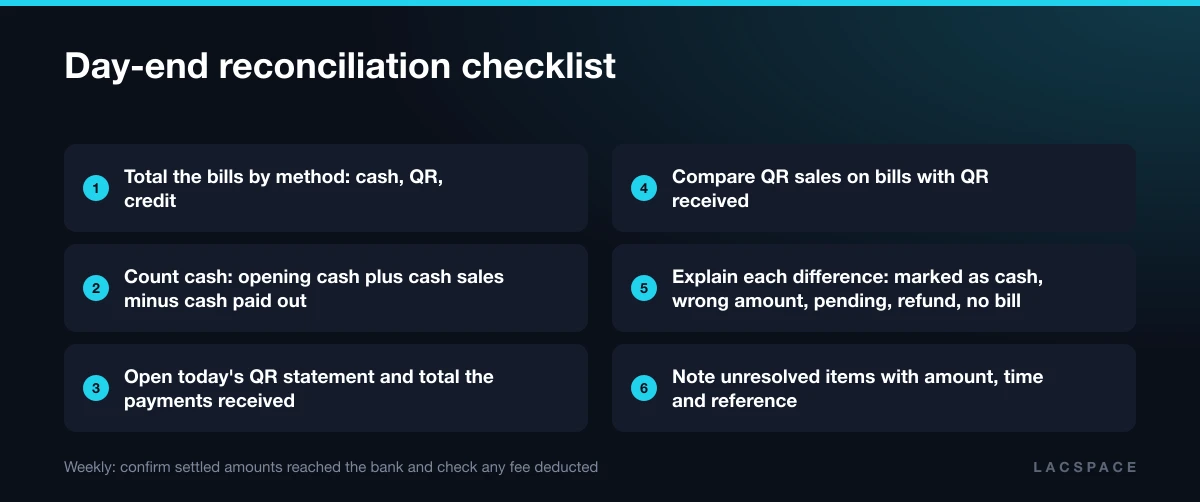
- Total your bills by payment method. You need three numbers: cash sales, QR sales and credit sales.
- Count the cash. It should equal opening cash plus cash sales, minus any cash you paid out.
- Open the QR statement for today. Use your merchant app or bank statement. Add up today’s received payments.
- Compare. QR sales on your bills should equal QR received on the statement.
- Explain every difference. There are only a few possible causes: a payment recorded as cash by mistake, a wrong amount, a payment still pending, a refund, or a payment with no bill.
- Write down what is unresolved. One line each: amount, time, reference and what you will do tomorrow.
Keep the statements. Fonepay’s FAQ, for example, says the Fonepay Business app lets you download payment statements for a custom date range of up to seven days at a time. If your app has a limit like that, download weekly so you never lose a period.
Check two more things once a week: that the amounts shown as settled have actually reached your bank account, and whether any fee was deducted on the way. If your bank statement shows less than your QR total, the difference should match the fee in your merchant agreement.
Recording QR sales against bills
Reconciliation is only possible if the information is captured at the moment of sale. Three habits make it work:
- One bill, one payment method. Mark each bill as cash, QR or credit when you make it. If a customer pays part in cash and part by QR, record both parts.
- Write the reference. Note the last few digits of the transaction reference on the bill. It takes five seconds and makes any later dispute short.
- Treat QR money as bank money. A QR sale never touches the cash drawer. Record it against your bank or wallet account, not as cash.
Credit customers need one extra step. When someone on khata clears their dues by QR, record it as a payment received against their balance, not as a new sale. Otherwise the sale is counted twice and the customer still shows as owing.
How billing software helps
A notebook can do all of this, but it relies on someone adding columns correctly at the end of a long day. Billing software removes the adding up.
LSKhata, the billing, inventory and khata app from Lacspace, covers the record side of this routine. Based on its published features, it lets you:
- create a bill quickly at the counter, including by scanning barcodes with the phone camera, and share it as a PDF or over WhatsApp;
- keep billing when the connection drops, with data syncing when you are back online;
- track each customer’s and supplier’s balance in a digital khata and send payment reminders;
- pull a daily sales report, a payment collection report and a full transaction history, and export reports as PDF or CSV for your accountant.
LSKhata’s site also lists QR payments and payment links among its features. Check the app for how these work with your bank or wallet. Whichever tool you use, the test is the same: at closing, can you produce today’s QR total in one tap and compare it with your statement?
If you have not chosen a provider yet, start with how to accept online payments in Nepal and the comparison of eSewa, Khalti, Fonepay and connectIPS. If your sales are taxable, VAT billing in Nepal explains what the invoice itself needs.
This article is general information, not legal, tax or financial advice. Confirm fees, limits and settlement terms with the bank or provider that issues your QR.
This article is general information, not legal, tax or financial advice. Fees, limits and rules are set by each provider and regulator and change by notice; confirm the current terms with the provider, Nepal Rastra Bank or the Inland Revenue Department before you decide.
Frequently asked questions
What is the difference between a static and a dynamic QR code?
A static QR code is fixed for the merchant and used for many payments, so the customer types the amount. A dynamic QR code is generated for one bill and already contains the amount, which makes it easier to match the payment to the bill.
What is NepalQR?
NepalQR is the QR payment standard set by Nepal Rastra Bank in its NepalQR Standardization Framework and Guidelines, issued in February 2021. Its aim is interoperability, so that QR codes are not tied to a single provider’s app.
Is there a charge for QR payments in Nepal?
The NepalQR framework says no charge shall be levied on the customer for a QR payment unless Nepal Rastra Bank allows it. A merchant may be charged a merchant discount rate by the acquirer, so ask your bank what applies to you.
How do I get a QR code for my shop in Nepal?
Apply through a bank or a licensed payment service provider that acquires merchants. Fonepay, for example, says you can enrol by visiting a Fonepay-supported bank or by submitting its online enrollment form.
How do I reconcile QR payments at the end of the day?
Total your bills by payment method, then compare the QR total with the day’s received payments in your merchant app or bank statement. Explain each difference, such as a wrong amount, a pending payment or a sale marked as cash by mistake.
How can I tell if a QR payment screenshot is fake?
You cannot tell reliably from the screenshot itself. Confirm every payment from your own side, using the notification, SMS or transaction history in your merchant app, before the customer leaves.