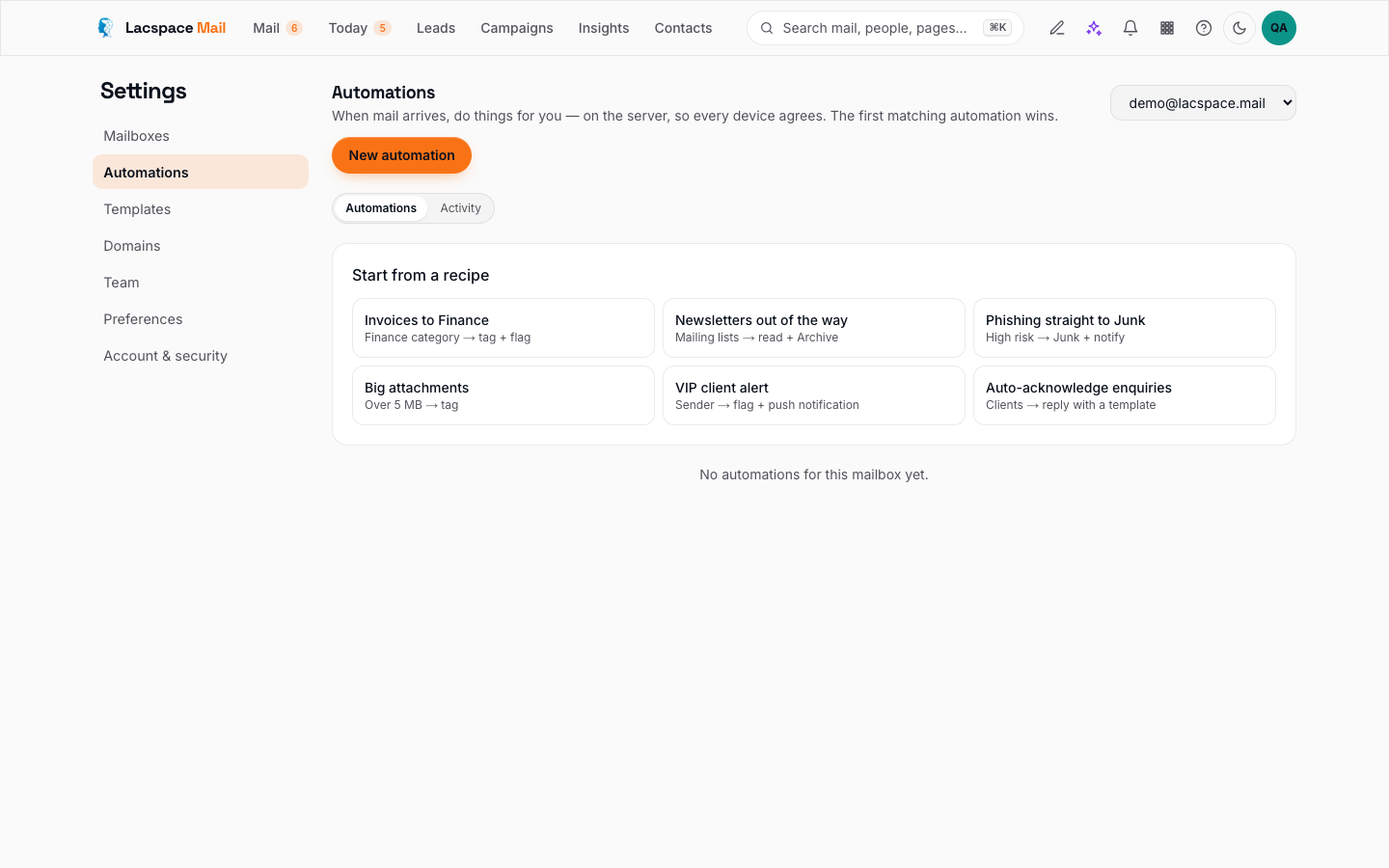
The best automation is the one you forget exists. Not a thirty-rule labyrinth that nobody dares touch, but three rules that quietly do the sorting you were doing by hand. Here are the three with the best payoff for a small team, in the order to set them up, using Lacspace Mail — where automations run on the server as mail arrives, with a preview before you save and a log of every run.
| Rule | Condition | Actions | Why |
|---|---|---|---|
| Invoices to Finance | Category Finance, or subject has invoice/receipt/payment | Tag, move, notify the payer | Bills stop sitting in a founder's inbox |
| Newsletters out of Focused | Category Newsletters/Promotions, or list header | Mark read, move to Reading | Focused stays about people |
| Suspicious out of the shared inbox | High phishing risk, SPF+DKIM failed, look-alike domain | Flag, move to Review, notify the owner | Shared inboxes are where phishing gets clicked |
| Client mail to your systems | Category Clients or client domain | Signed webhook | The inbox stops being a silo |
1. Invoices to Finance, tagged, with a nudge to the right person
Condition: category is Finance, or the subject contains “invoice”, “receipt” or “payment”, or the sender is one of your suppliers.
Actions: tag finance, move to the Finance folder, notify the person who pays the bills.
Why it pays: the invoice stops sitting in a founder's inbox for nine days. Lacspace Mail already classifies finance mail on arrival, so the condition is one click. Add a second rule for anything mentioning “bank details” or “account change” that flags it and notifies two people — that is where the expensive fraud lives.
2. Newsletters and promotions out of Focused
Condition: category is Newsletters or Promotions, or the message has a mailing-list header.
Actions: mark read, move to a Reading folder.
Why it pays: Focused is only useful if the noise stays out of it. Lacspace Mail's Focused view already hides bulk mail, but a rule makes the behaviour explicit, keeps unread counts honest, and gives you one folder to skim on Friday afternoon. Pair it with the Subscriptions page: sort by “never opened” once a month and unsubscribe in one click, from our servers.
3. Suspicious mail out of the shared inbox
Condition: phishing risk is high, or the message failed SPF and DKIM, or the sender's domain is a look-alike.
Actions: flag, move to a Review folder, notify the owner of the mailbox.
Why it pays: shared inboxes like hello@ and support@ are where phishing gets clicked, because nobody owns the mail. Lacspace Mail puts a red banner on suspicious messages anyway; the rule makes sure they also leave the shared view until someone who knows what they are looking at has seen them.
The fourth one, when you are ready: push client mail into your systems
Condition: category is Clients, or the sender's domain is on your client list.
Action: call a webhook.
The webhook action POSTs a signed JSON payload with the message summary to a URL you choose — your CRM, a Slack or Teams channel, a Google Sheet via a small function. The signature header lets your system verify the request really came from Lacspace Mail. This is how the inbox stops being a silo without anyone forwarding anything by hand.
Then stop
Add more rules only when a real pattern repeats. Three good rules you understand beat thirty you are afraid to edit. When a rule does something surprising, the run log shows exactly which message triggered it and why — and the preview lets you test the fix against recent mail before saving.
The full list of conditions and actions, the webhook payload and the limits are in the documentation.
Set up your first rule → Read how it works
Frequently asked questions
Do the rules run when the app is closed?
Yes. Automations run on the server as each message is stored — before you open the app and even when it is closed — and every run is logged.
Can a rule re-run over old mail?
Rules see mail as it arrives. For the backlog, use search plus bulk actions, which do the same moves in one go.
What does the webhook action send?
A signed JSON payload with the message summary to a URL you choose. The signature header lets your system verify the request really came from Lacspace Mail before acting on it.
Can I see what a rule would do before saving it?
Yes. Preview shows which recent messages the rule would have matched, and the run log shows what each rule did, message by message, after it is live.