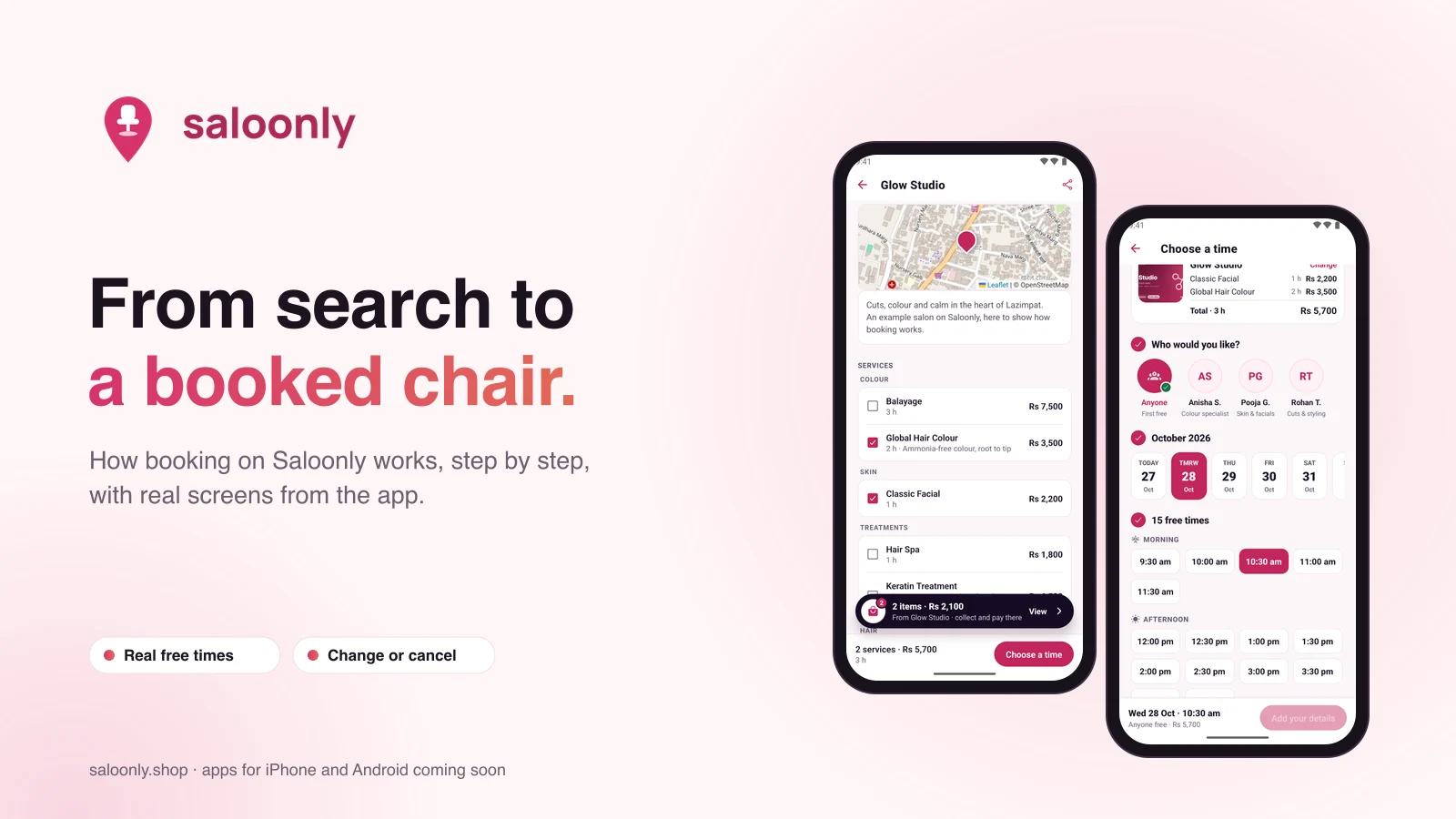
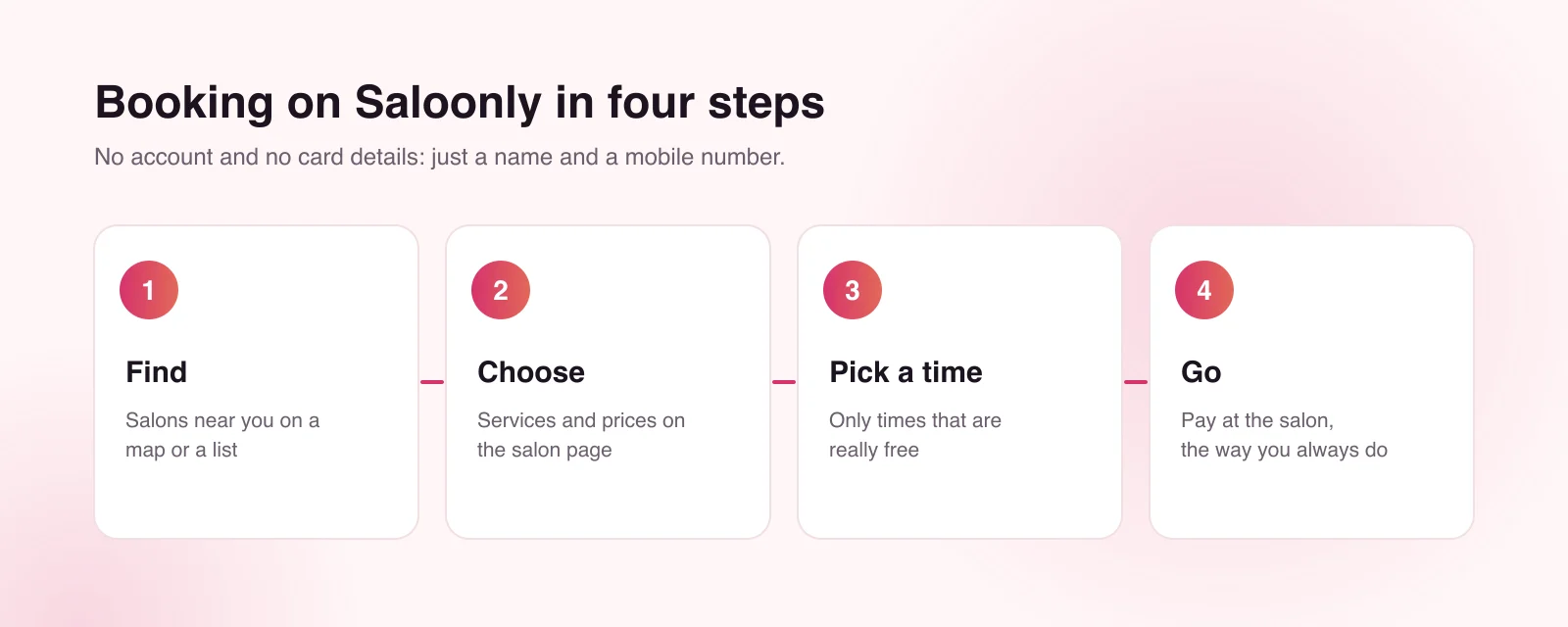
Saloonly is built so that booking takes about a minute and asks very little of you. This guide walks through each step with real screens from the app, so you know exactly what to expect. The website at saloonly.shop works the same way.
Step 1: Find a salon near you
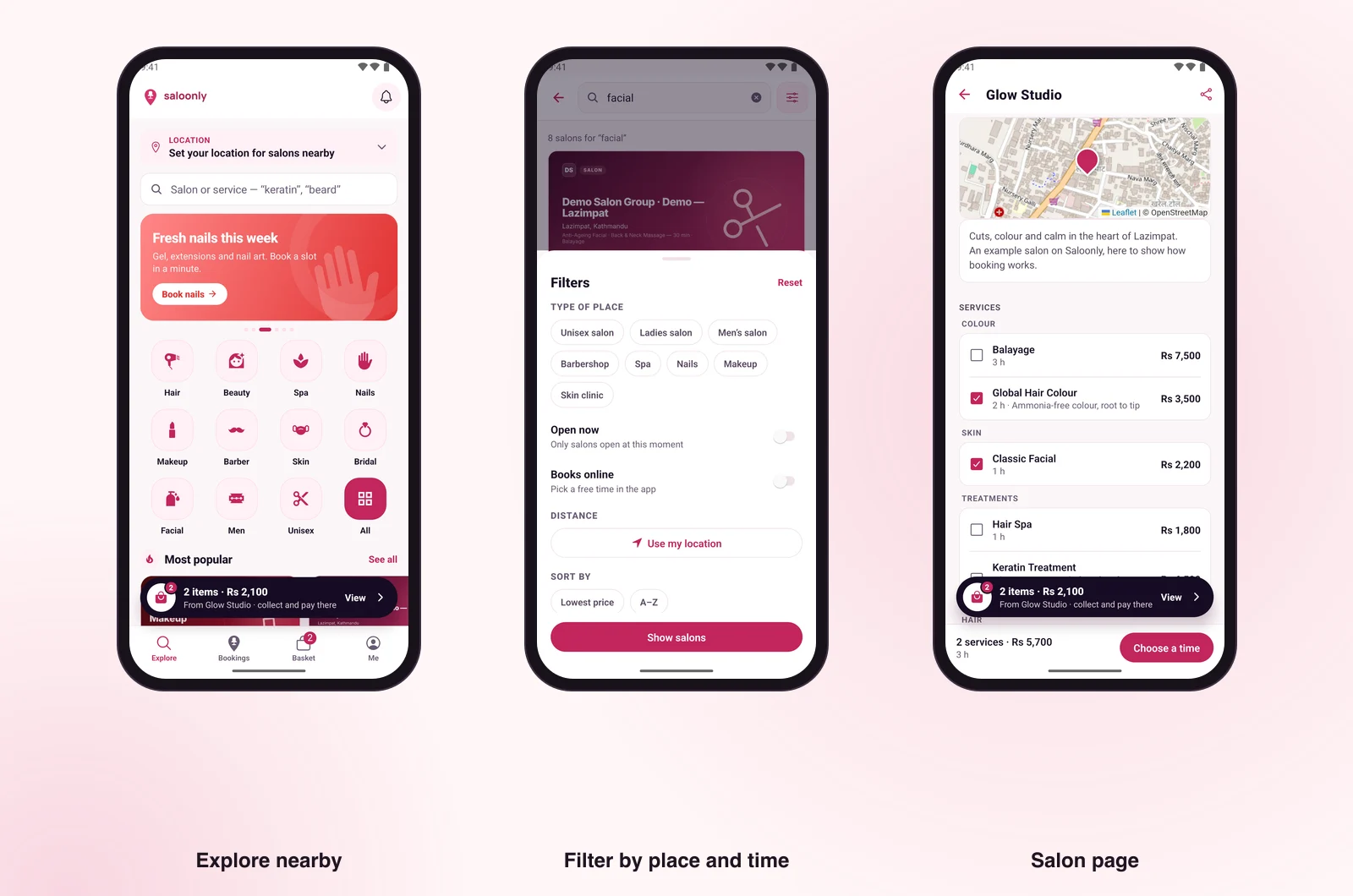
Start on Explore. Set your location, or let Saloonly use where you are, and you will see salons around you on a map or a list. You can browse by the kind of place: hair, beauty, spa, nails, makeup, barber, skin and more. Or search for a salon or a service, such as "keratin" or "beard".
Filters narrow it down further: the type of place (unisex salon, ladies' salon, men's salon, barbershop, spa, nails, makeup, skin clinic), salons that are open now, salons that book online, distance from you, and sorting by lowest price or A to Z.
Step 2: Choose your services
Each salon's page shows its services grouped the way the salon organises them, with the price and how long each one takes. Tick the services you want. You will see the running total and the total time before you go any further, so there are no surprises at the counter.
The page also shows the salon's opening hours, its team and where it is on the map.
Step 3: Pick a time that is really free
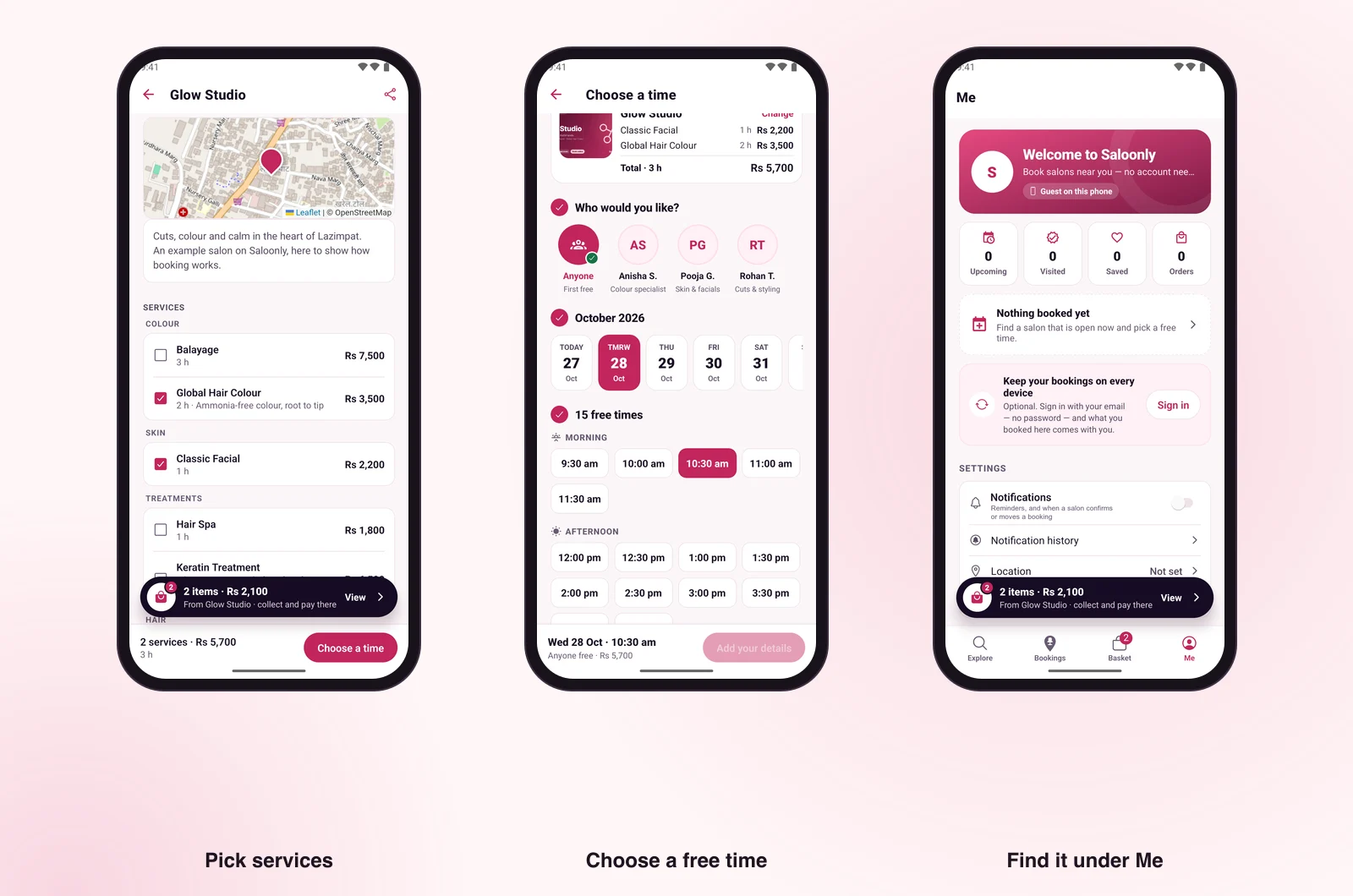
Next, choose who you would like: a particular stylist, or "Anyone", which picks whoever is free first. Then pick a day and a time. The times you see are worked out from the salon's own diary: its opening hours, its stylists and the bookings it already has. If a time goes while you are deciding, Saloonly tells you and shows what is free instead.
Step 4: Add your details and go
Add your name and mobile number and confirm. That is the whole booking: no account, no password and no card. The salon gets your number only so it can reach you about the booking.
On the day, go to the salon and pay there, in cash, by card or however the salon takes payment. Saloonly never asks for card details.
Changing or cancelling
Your booking is under Me in the app, or My bookings on the website. From there you can change it or cancel it. Each salon sets how close to the time you can still cancel online. After that point, call the salon directly.
| You want to… | Where | Good to know |
|---|---|---|
| See your booking | Me (app) or My bookings (web) | Bookings stay on this device; add an email to see them anywhere |
| Change or cancel | The same place | Each salon sets its own online cancellation window |
| Save a salon | The salon page | Saved salons appear under Me |
| Delete your details | Me (app) or My bookings, Profile (web) | Name, phone, email and saved salons are erased at once |
Ordering products from a salon
Some salons sell products online too. Add products from one salon to your basket and place the order. The salon marks it ready, and you collect it and pay at the counter. You can cancel the order until it is marked ready.
Where to book
Saloonly works today on any phone or computer at saloonly.shop. The apps for iPhone and Android are on their way to the App Store and Google Play. Which salons you can book depends on who has joined near you.
Keep reading: Saloonly: book salons, spas and barbers near you · Saloonly for salon owners: a practical guide · Saloonly and SaloonERP: one record, two front doors
Saloonly is a booking marketplace from SaloonERP, built by Lacspace. This article describes Saloonly as it stood on 28 October 2026: the website is live, and the iPhone and Android apps are on their way to the App Store and Google Play. Which salons you can book depends on who has joined near you. Features and details can change.
Frequently asked questions
Are the times on Saloonly real?
Yes. They come from the salon’s own diary: its opening hours, its stylists and the bookings it already has. If a time is taken while you are deciding, Saloonly tells you and shows what is free instead.
How do I cancel a booking?
Open Me in the app or My bookings on the website and cancel it there. Each salon sets how close to the time you can still cancel online; after that, call the salon.
Why does the salon need my phone number?
So it can reach you about your booking. Your number is shared only with salons you book or order from.
Can I choose a particular stylist?
Yes. When you pick a time you can choose a stylist from the salon’s team, or choose Anyone to get the first free person.
Why does the time look a few hours off?
Saloonly always shows the salon’s local time, because that is when you need to walk in, even if your phone is set to another time zone.